A Free Event Website With RSVPs, and Everything Else Ceremono Can Do
Build a free website for your event, collect RSVPs on it, put guest photos on the big screen, and run the guest list, seating and budget from one place.
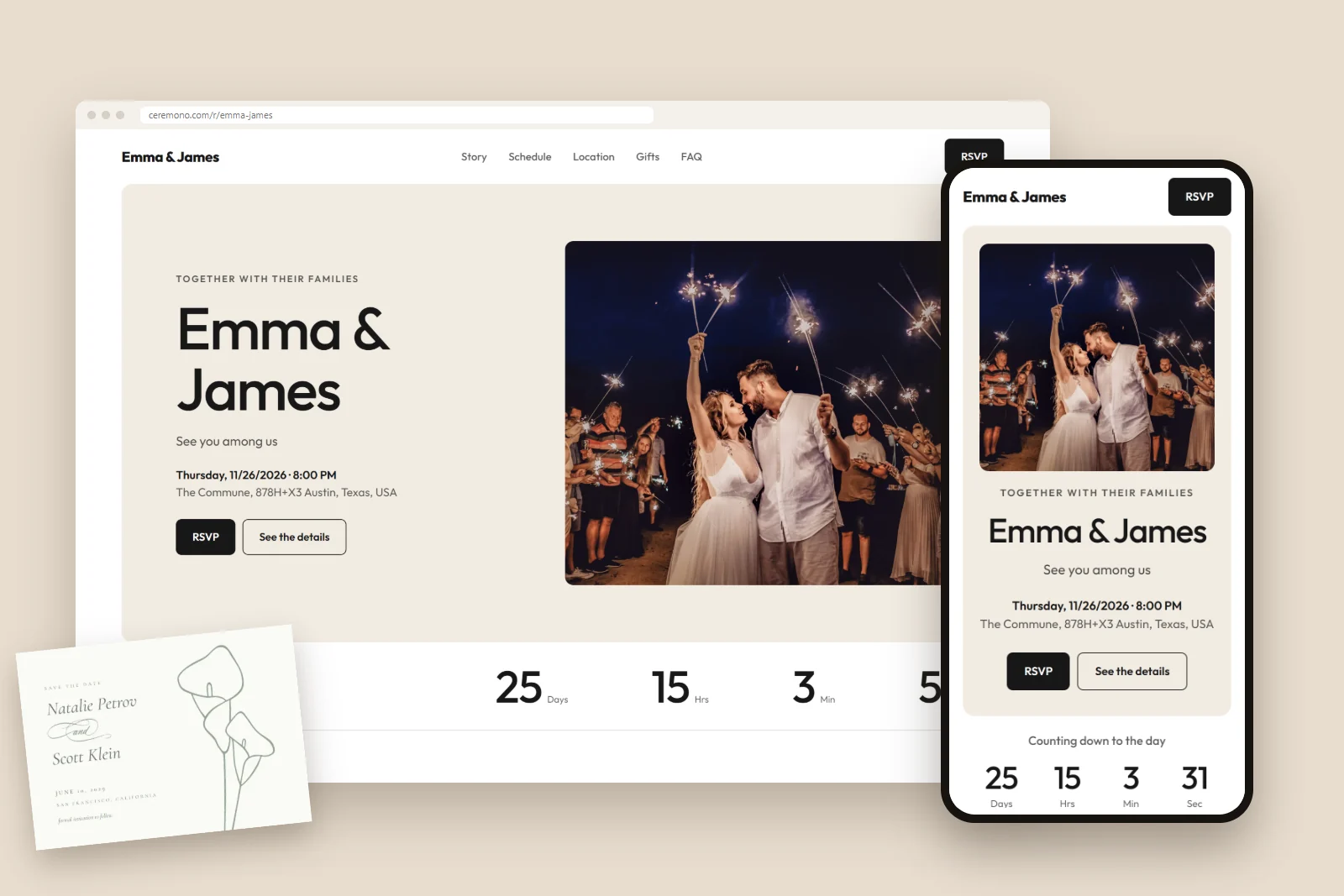
Ceremono gives your event a free website with RSVPs built in. You pick a design, add your details and share one link. Guests answer on their phones, with no account or app, and every reply lands in your guest list. From there, the same event runs your seating chart, budget, schedule, music, printed stationery and shared photos.
It works for weddings, engagements, birthdays, anniversaries, graduations, baby showers, corporate events and parties. Most of it is free, and you don't need a card to start. Here is everything it does.
See it working first
You don't need an account to look around. Emma and James are our demo couple, so you can open their pages the way a guest would:
- Their wedding website, with the countdown, schedule, map and RSVP.
- Their memory page, filled with photos and wishes from guests.
- Their live screen, the slideshow that runs on a big screen during an event.
- The website designs, which you can preview for any occasion.
A free website for your event
Every event gets its own page at a link you can share, like ceremono.com/r/your-event. It's built from sections you can add, remove and put in any order: a header, countdown, your story, the schedule, location with a map, gifts, FAQ, a photo gallery and the RSVP. Emma and James's site shows how a finished one looks.
Start from one of our website designs. You can preview them without signing up, on desktop or on a phone, and switch the occasion to see the words change.
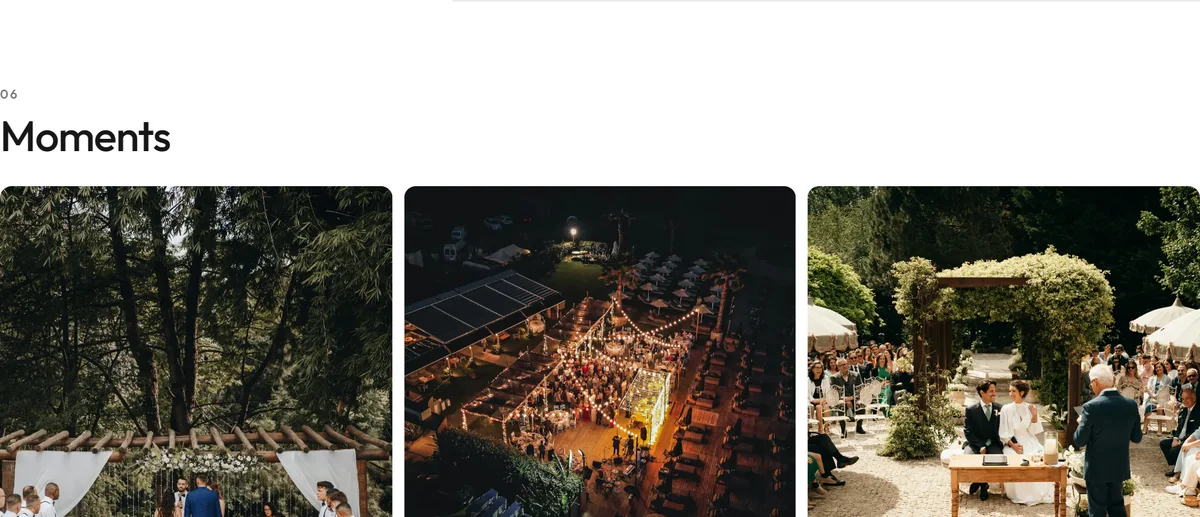
You fill in the details of your event once. The names, date, venue and address then appear on the site by themselves, and they stay up to date if you change them later.
Edit right on the page
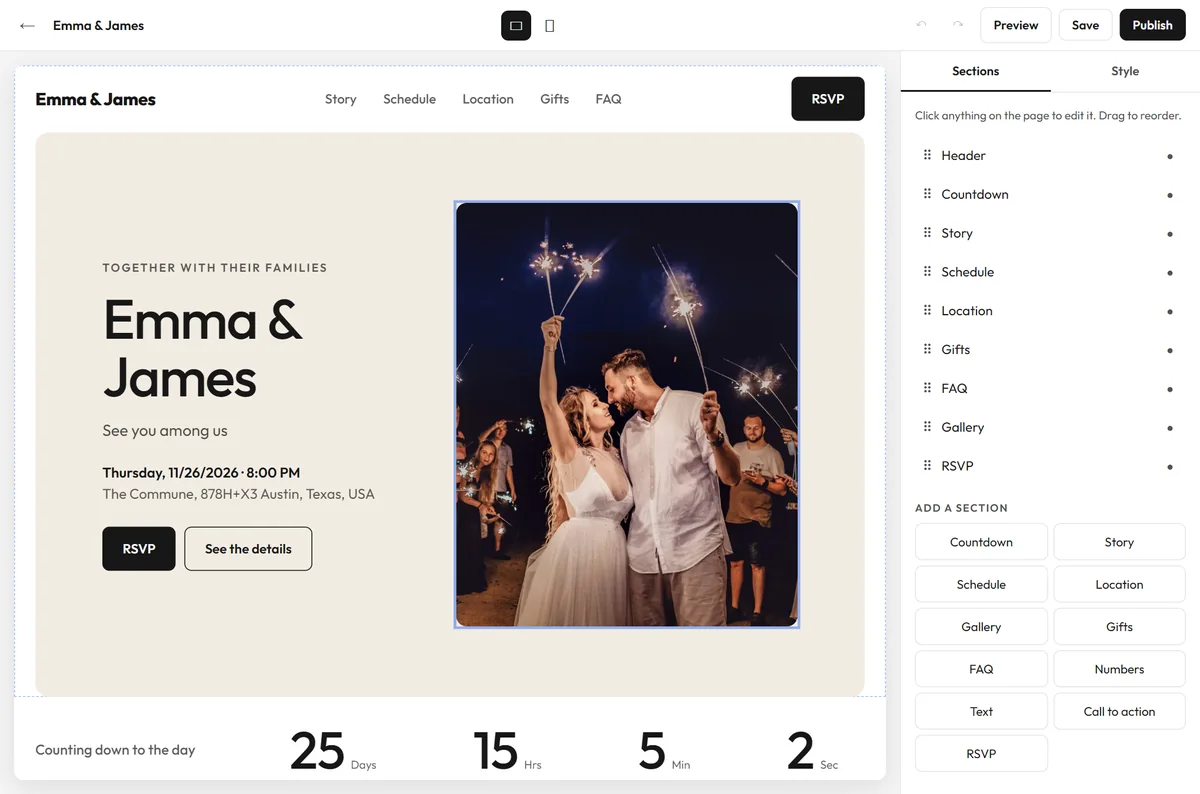
The site editor shows your real page. Click any text or photo to change it, and drag sections up and down in the side panel. Nearly every section also comes in several layouts, so two events on the same design don't have to look alike.
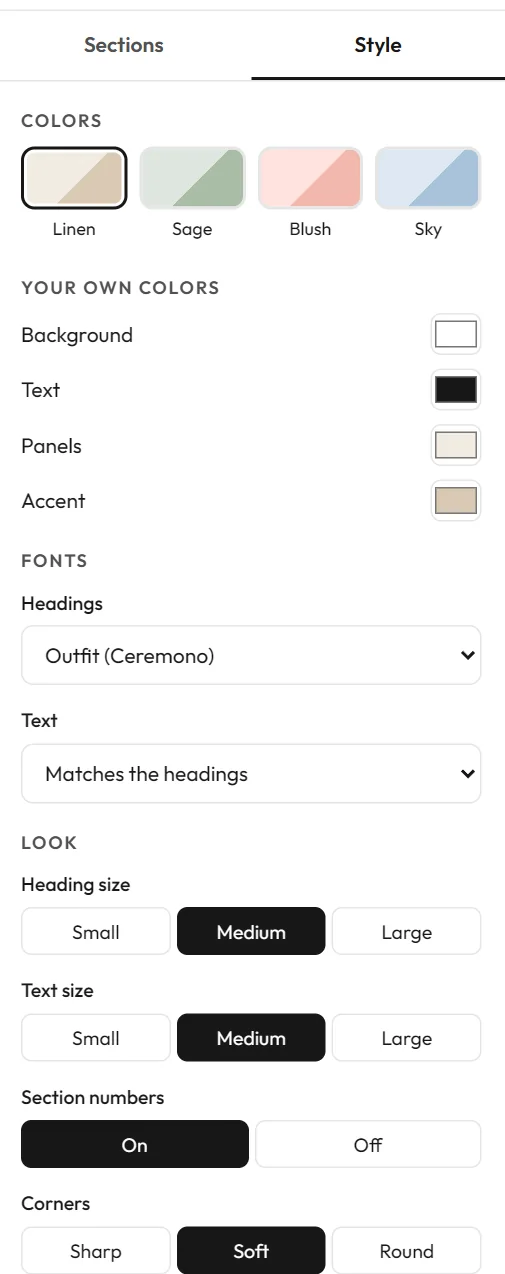
The Style panel covers the look of the whole site: ready-made color palettes or your own colors, fonts for headings and text, text sizes, corners and buttons. You can check the result on desktop and on a phone before anyone sees it. Nothing goes live until you press Save or Publish.
Changed your mind about the design later? Open your event and choose Change design. You can preview it with your own details first. Your photos and words stay, and the layout and colors change.
RSVPs, built into the site
Guests reply on your event website. They don't need an account, and there is nothing to install.
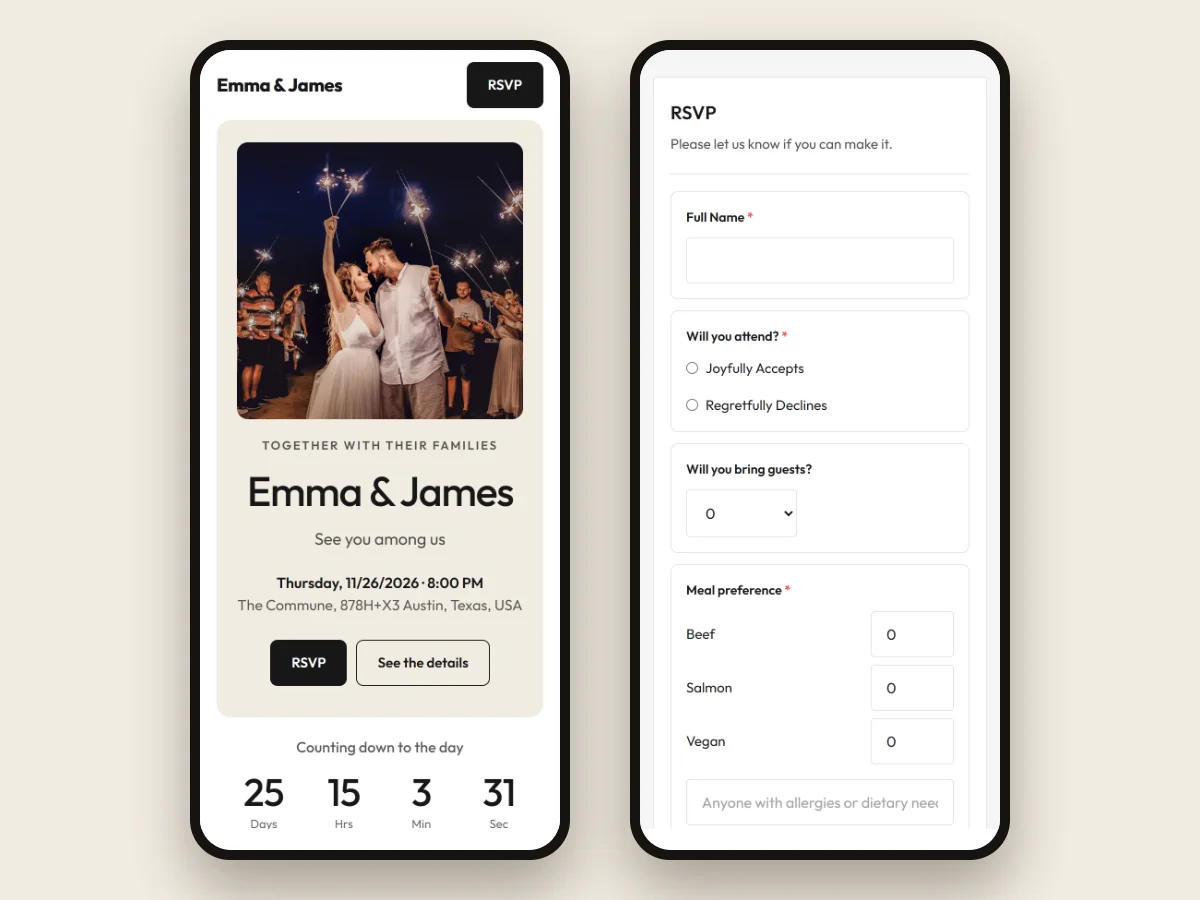
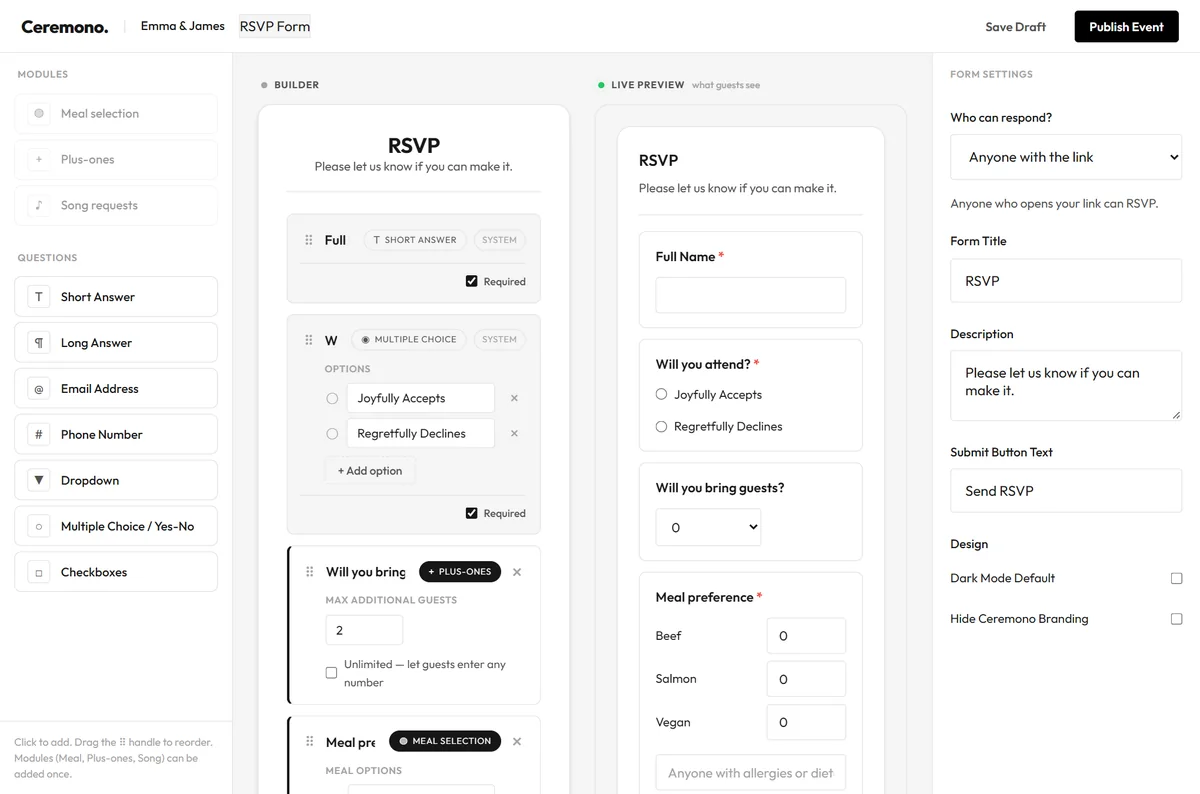
The RSVP Builder lets you decide what to ask:
- Who can respond: anyone with the link, only people on your guest list, or anyone with a password.
- Meal choices, with a note for allergies.
- Plus-ones, with a limit you set.
- Song requests, picked from a list of event favorites.
- Your own questions: short or long answers, multiple choice, dropdowns and checkboxes.
Ceremono doesn't send invitations for you. You share the link yourself, or print its QR code on a card, so it reaches guests however you like. For more ideas, read a calmer way to collect RSVPs.
Your guest list and everything it feeds
Add guests by hand, paste a list, or import up to 1,000 from Excel, CSV or TXT. If you're not sure how to lay out your file, each import comes with a ready-made template and a short explanation of every column.
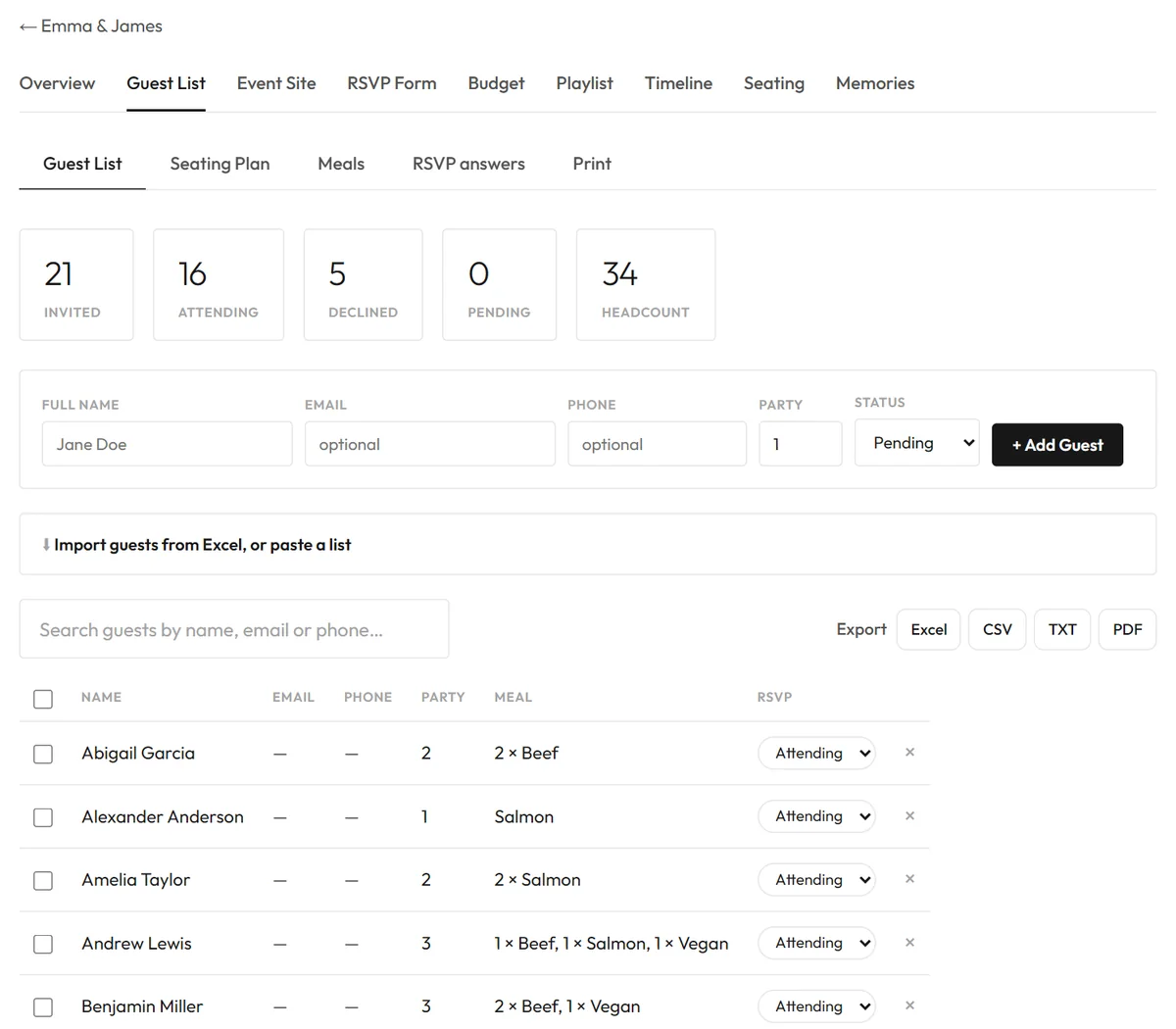
You can see who's attending, who declined and who hasn't answered, then export the list to Excel, CSV, TXT or a neat PDF to print.
Seating and meal totals
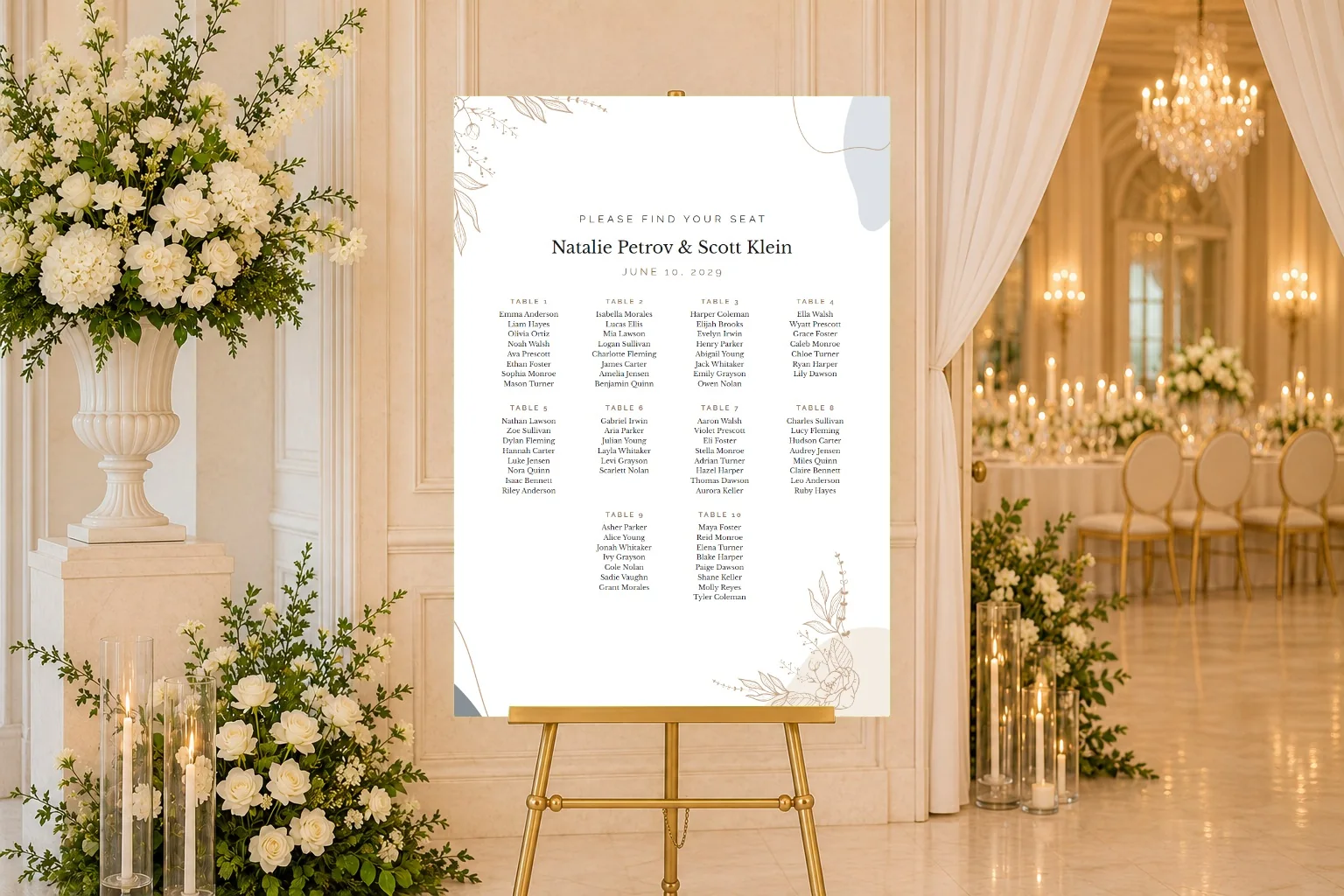
Add round, square or long tables, then drag guests to their seats or let Auto-Seat do a first pass. You can also import a whole seating plan from a spreadsheet. Not sure where to start? We collected some seating chart ideas.
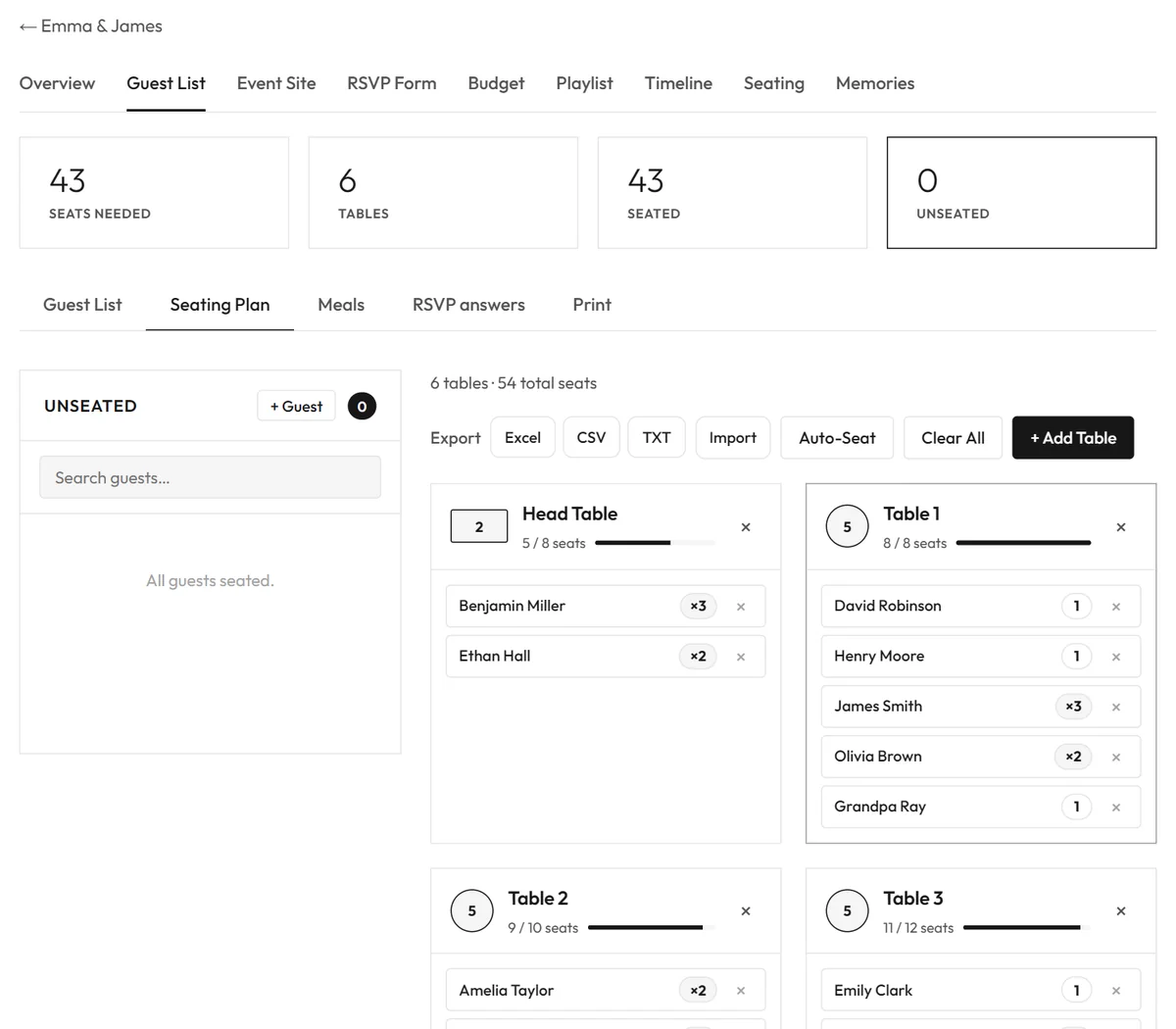
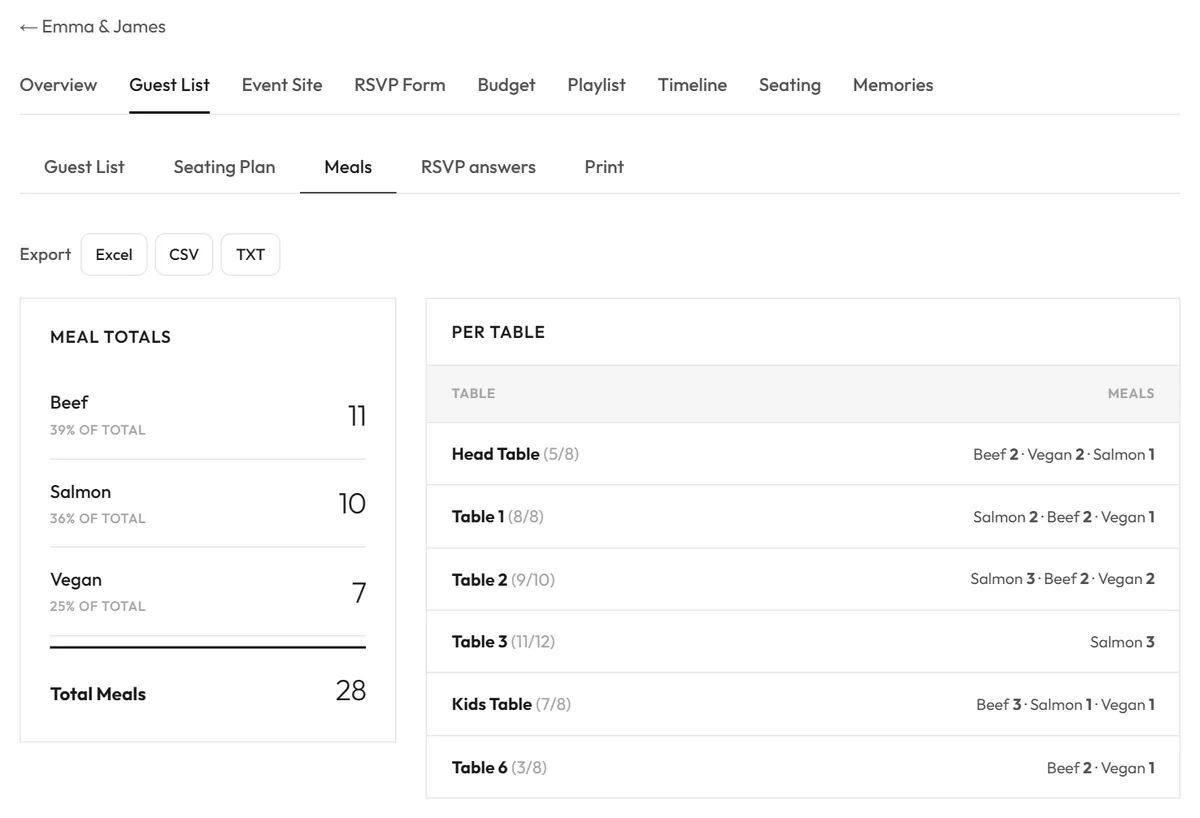
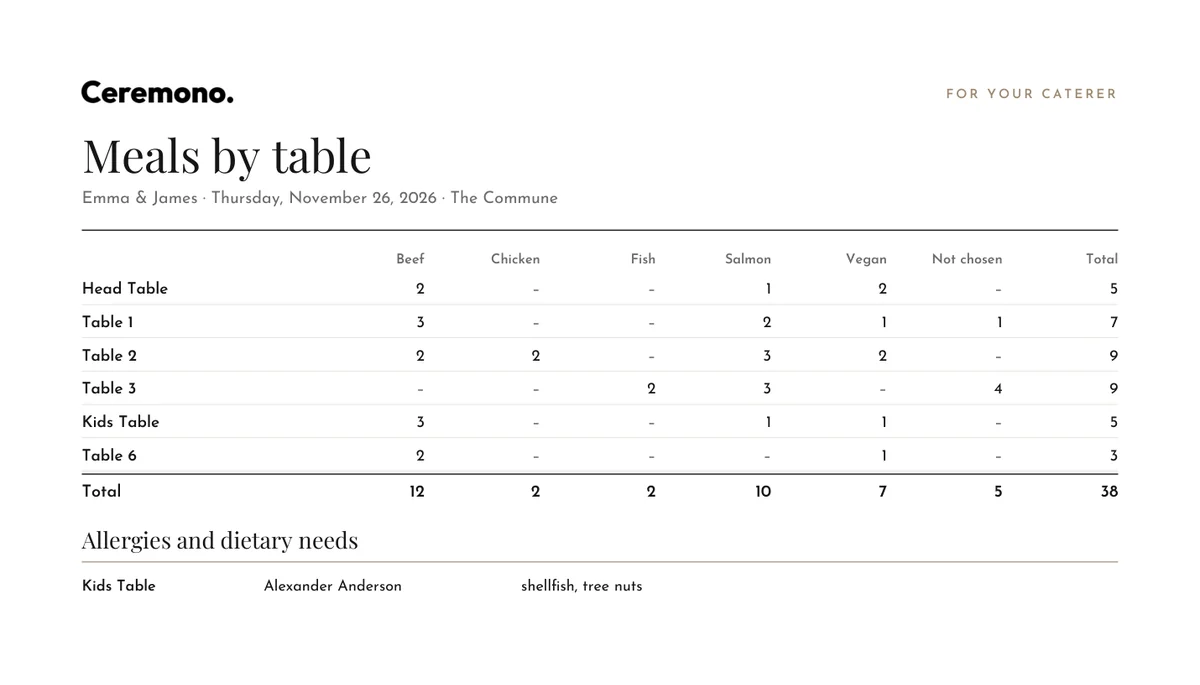
Meal totals add themselves up, for the whole event and for each table. That's the list your caterer will ask for.
A meal plan for your caterer and servers
Tick Meals by table in the seating plan and every table shows what it needs, like “3 Beef · 2 Salmon · 1 Vegan”. Download the PDF and each guest’s choice appears under their name, followed by a page your caterer can work from: every table, every dish, the totals, and any allergies guests told you about.
Hand it to your caterer and your servers, and the right plate reaches the right seat without anyone chasing you on the day. Guests who declined aren’t counted, so the numbers match who is really coming.
Free planning tools
Four tools are free, and you can open them without an account. Your work stays in your browser until you sign in, which saves it and links it to your event. Each one imports and exports Excel, CSV and TXT, and downloads a clean PDF with your event’s details.
Budget Planner
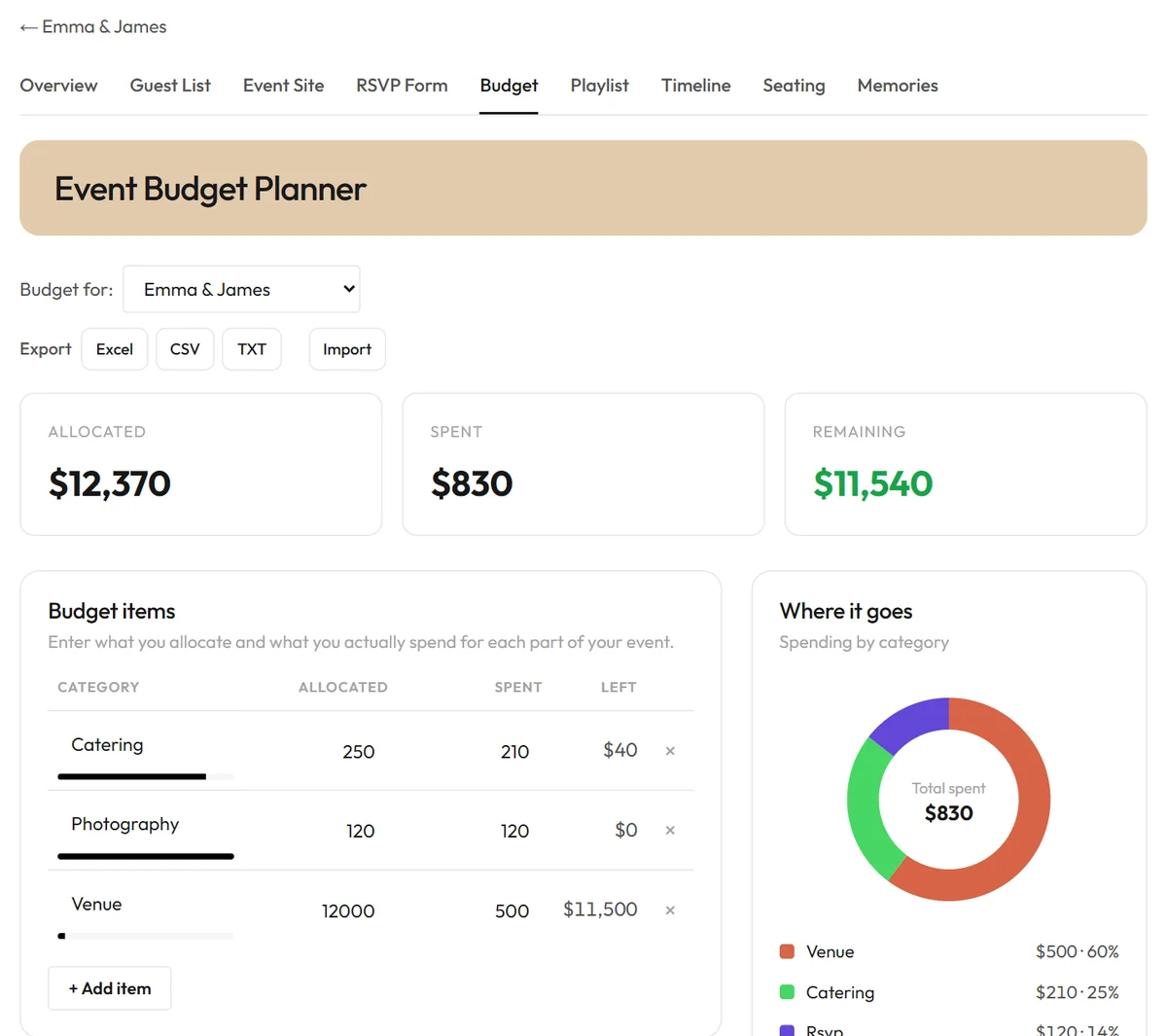
The Budget Planner tracks what you allocate and what you actually spend, and shows where the money goes. Our guide on how to plan an event budget walks through it step by step.
Timeline Planner
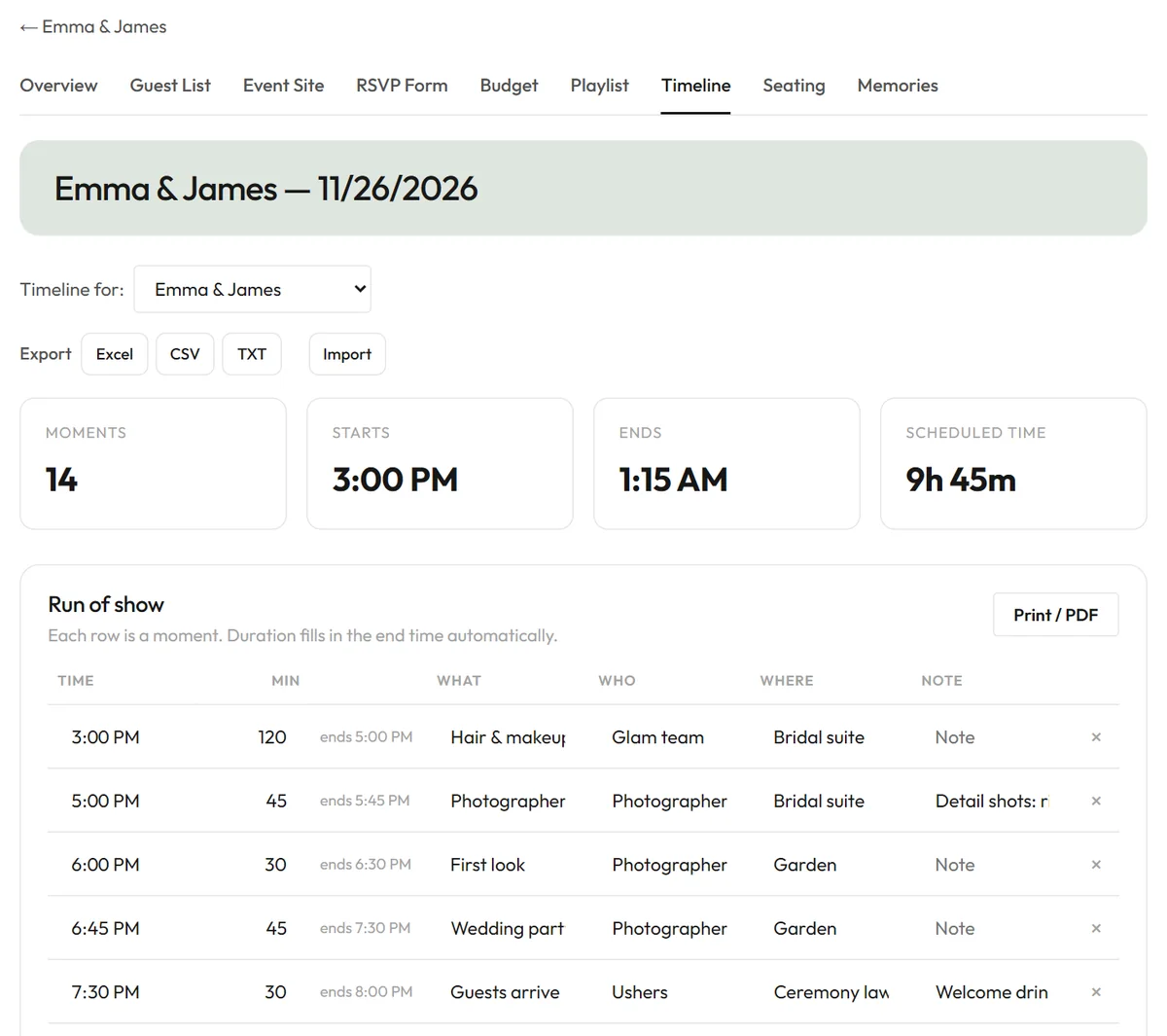
The Timeline Planner builds the run of show: each moment, who is responsible and where it happens. Download it as a PDF for your vendors and your wedding party.
Playlist Planner
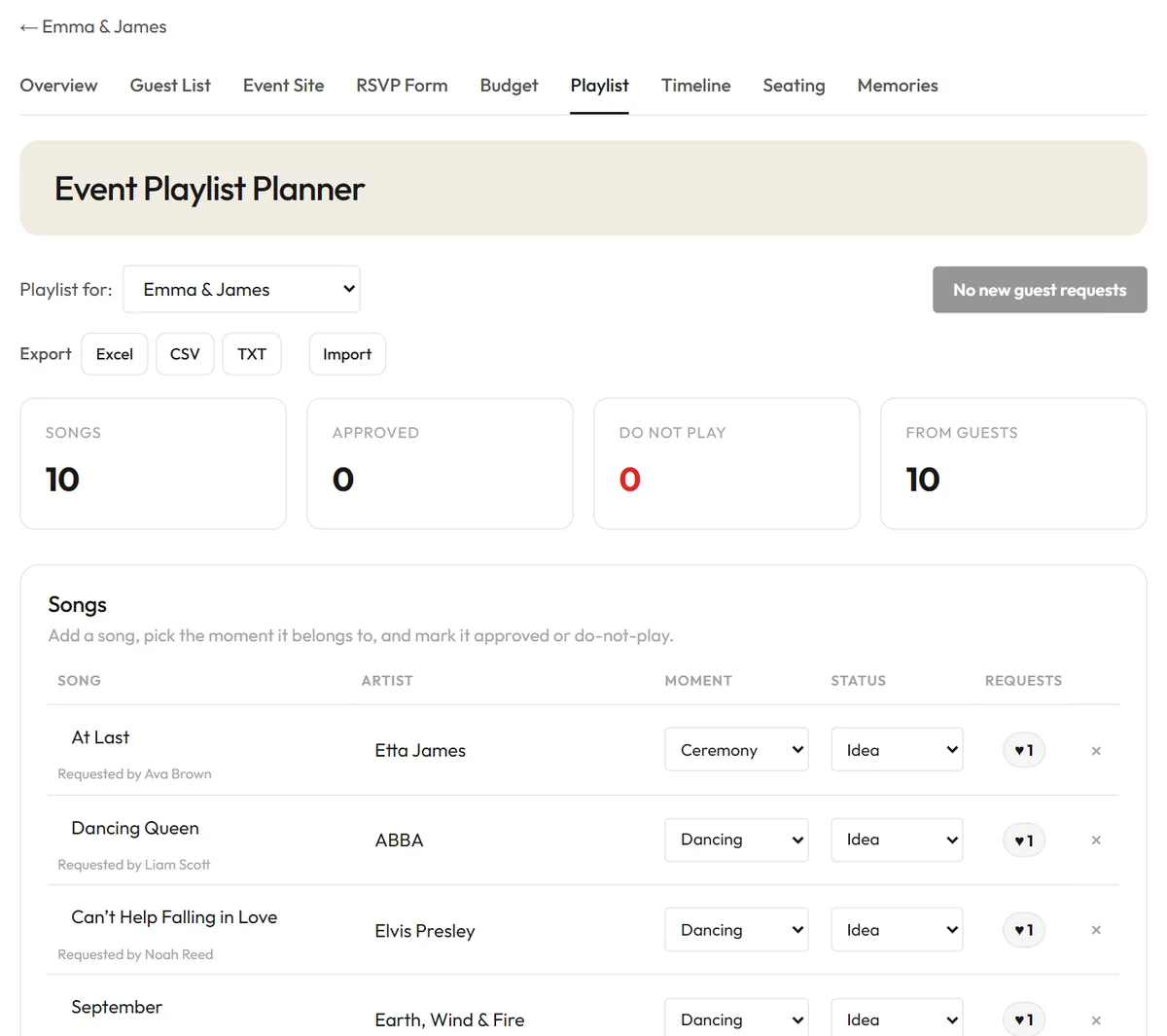
The Playlist Planner organizes songs by moment, keeps a do-not-play list and pulls in the song requests from your RSVPs.
Seating Planner
The Seating Planner arranges your tables and downloads the chart as a PDF. It's the same tool described above, and you can try it before you create an event.
The Memory Vault
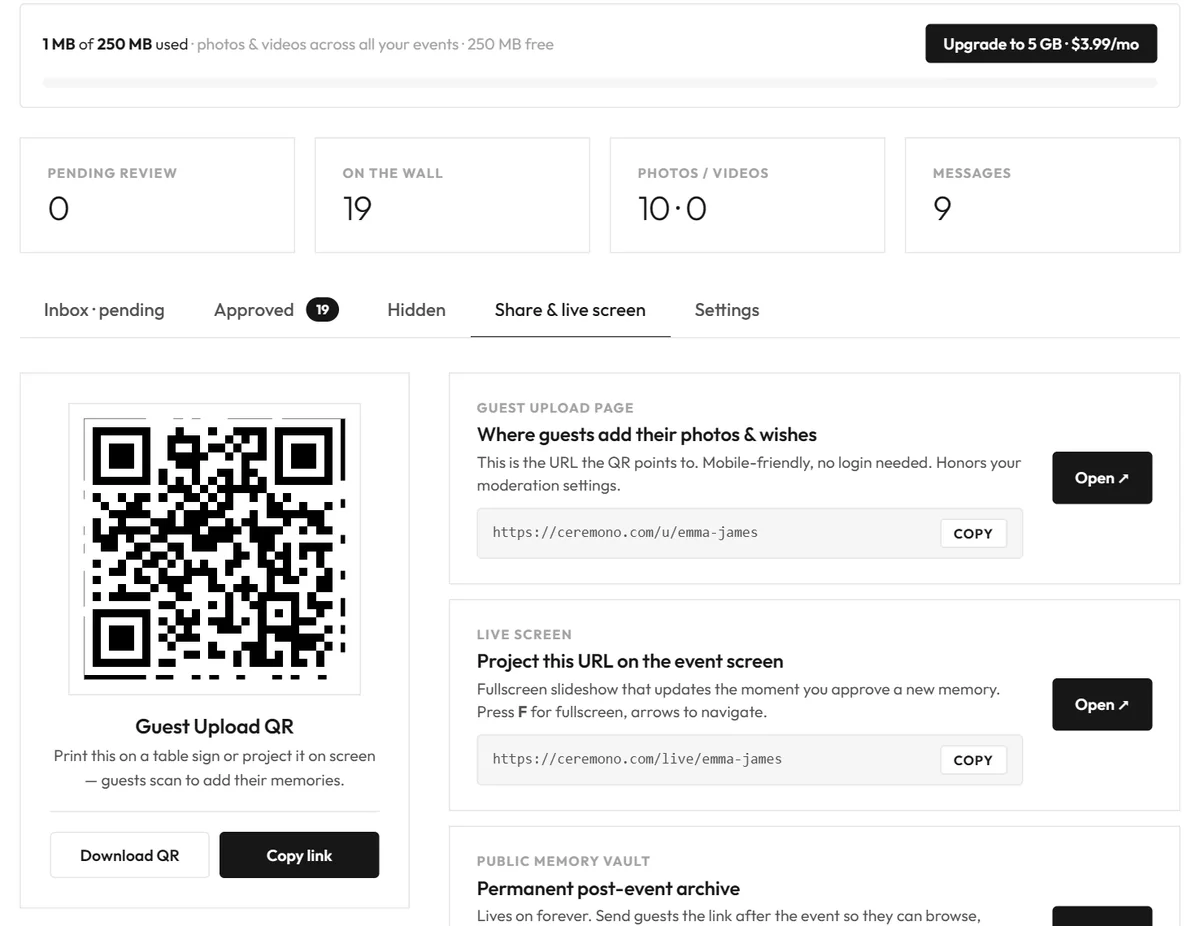
Collecting photos after an event is usually the hard part. People promise to send them, and most never do. With the Memory Vault, guests scan a QR code at your event and add their photos, videos and wishes on the spot, from their own phones, with no login and no app.
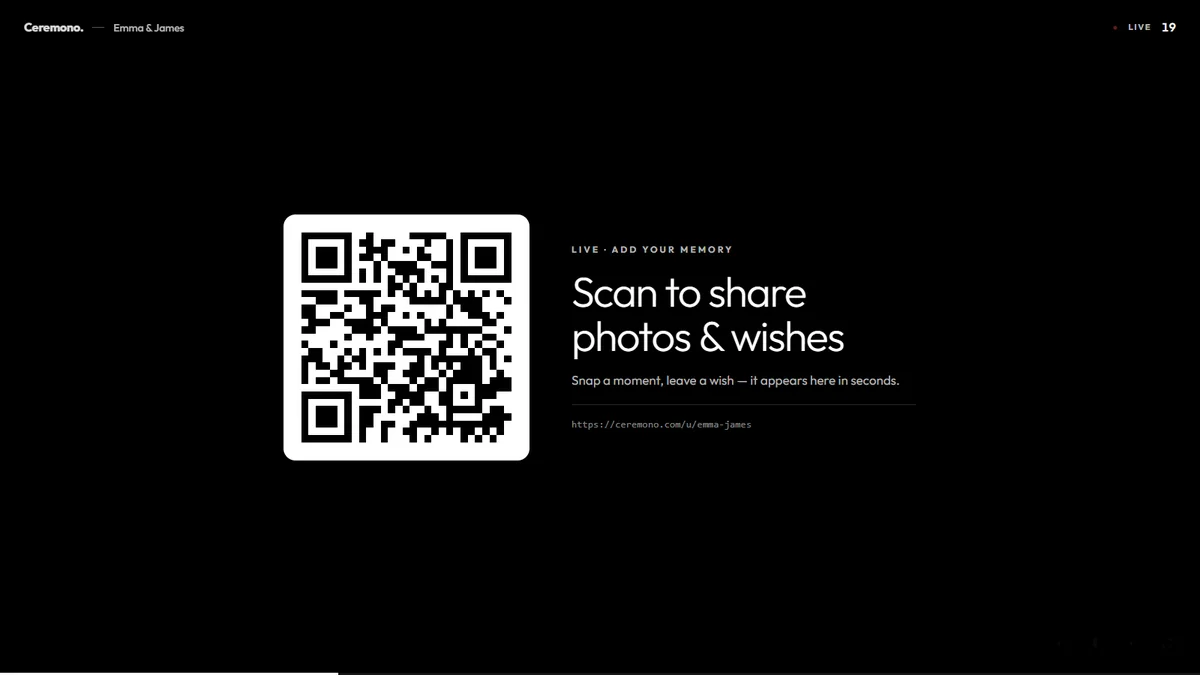
You can put the code on a Photo QR card on every table, on a sign, or on the screen itself.
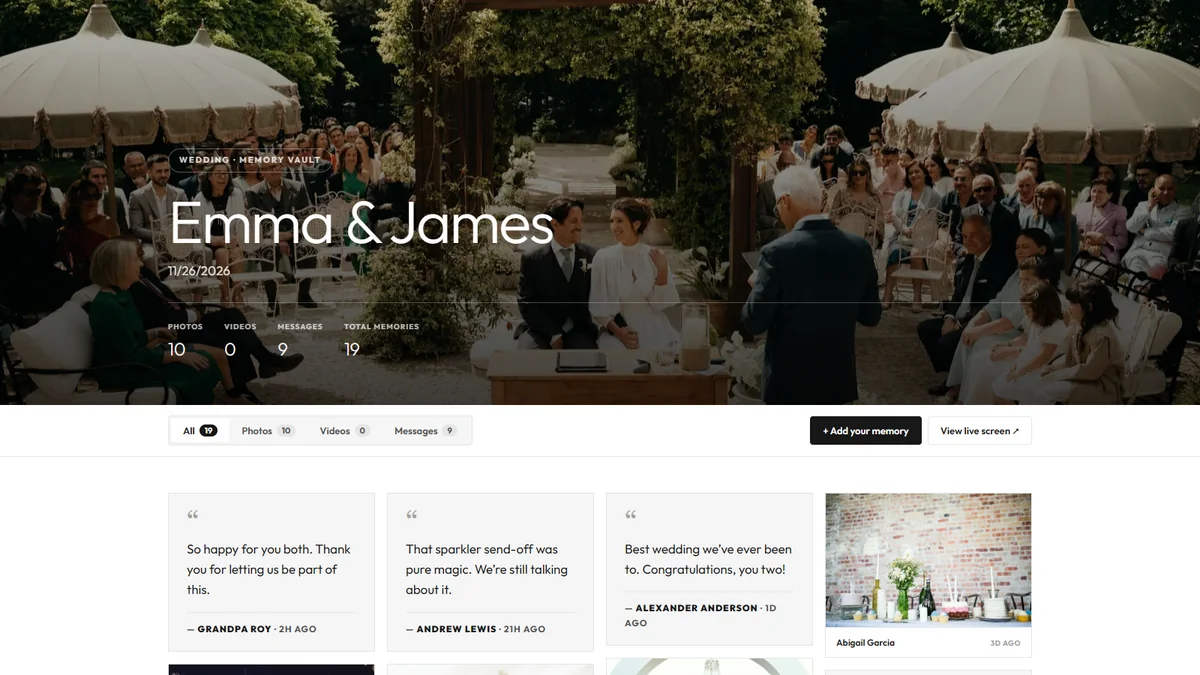
Everything lands on a memories page that stays there for you to revisit, and you can download it all as a ZIP. Every account gets 250 MB free. If it fills up, uploads pause and everything already there stays. More storage is available if you need it.
The live screen: your guests on the big screen
The live screen turns those photos into part of the event. Open it on a laptop connected to a projector, an LED wall or a TV, press F for full screen, and the photos, videos and wishes play as a slideshow. New ones join as they come in, and a QR code slide keeps inviting guests to add theirs.
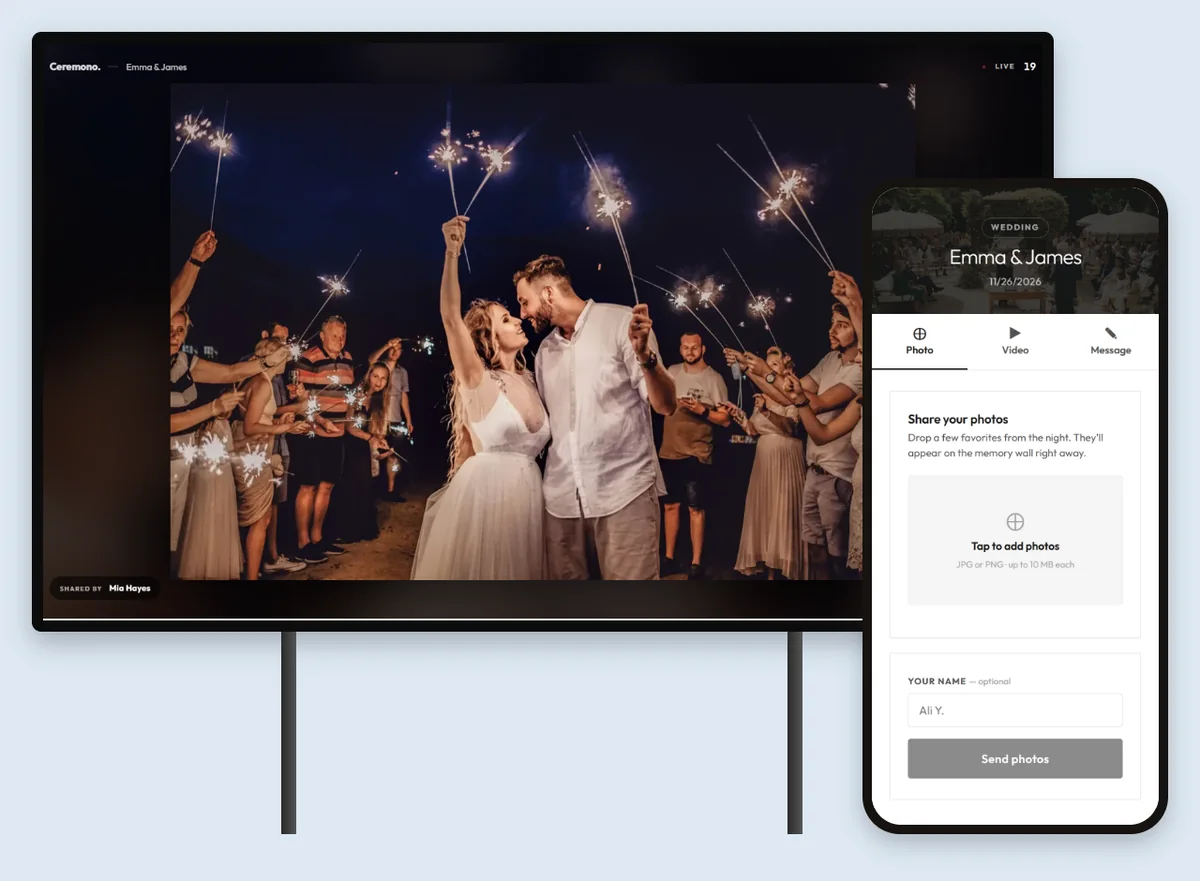
Approval is your choice. Leave it on and each item waits for you to approve it before it reaches the screen. Switch it off and everything goes straight up, which suits a relaxed party. You can change this at any time in the event's settings.
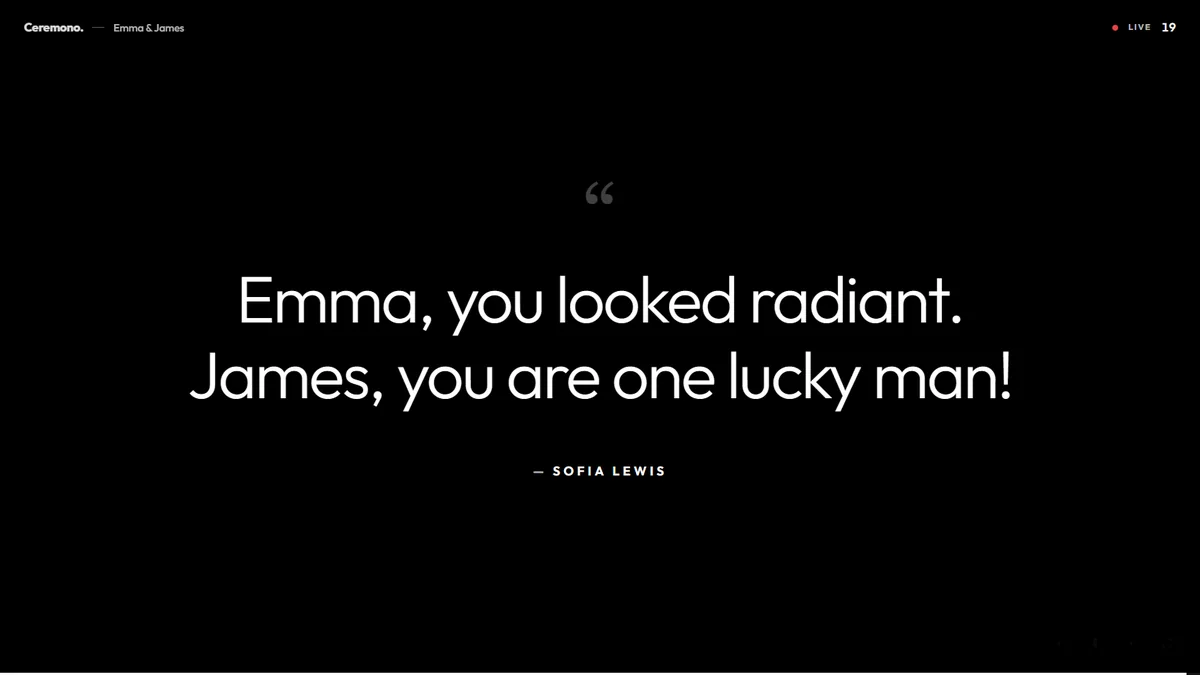
It isn't only for weddings. The live screen works anywhere people gather and take photos:
- Corporate events: show conference, product launch or company party moments between sessions, on the main stage screen or in the lobby. Keep approval on so you stay in control of what appears.
- Birthdays: fill the room with photos from the party and messages from friends while the night is still going.
- Weddings and everything else: receptions, anniversaries, graduations and baby showers all work the same way.
Printed stationery that fills itself in
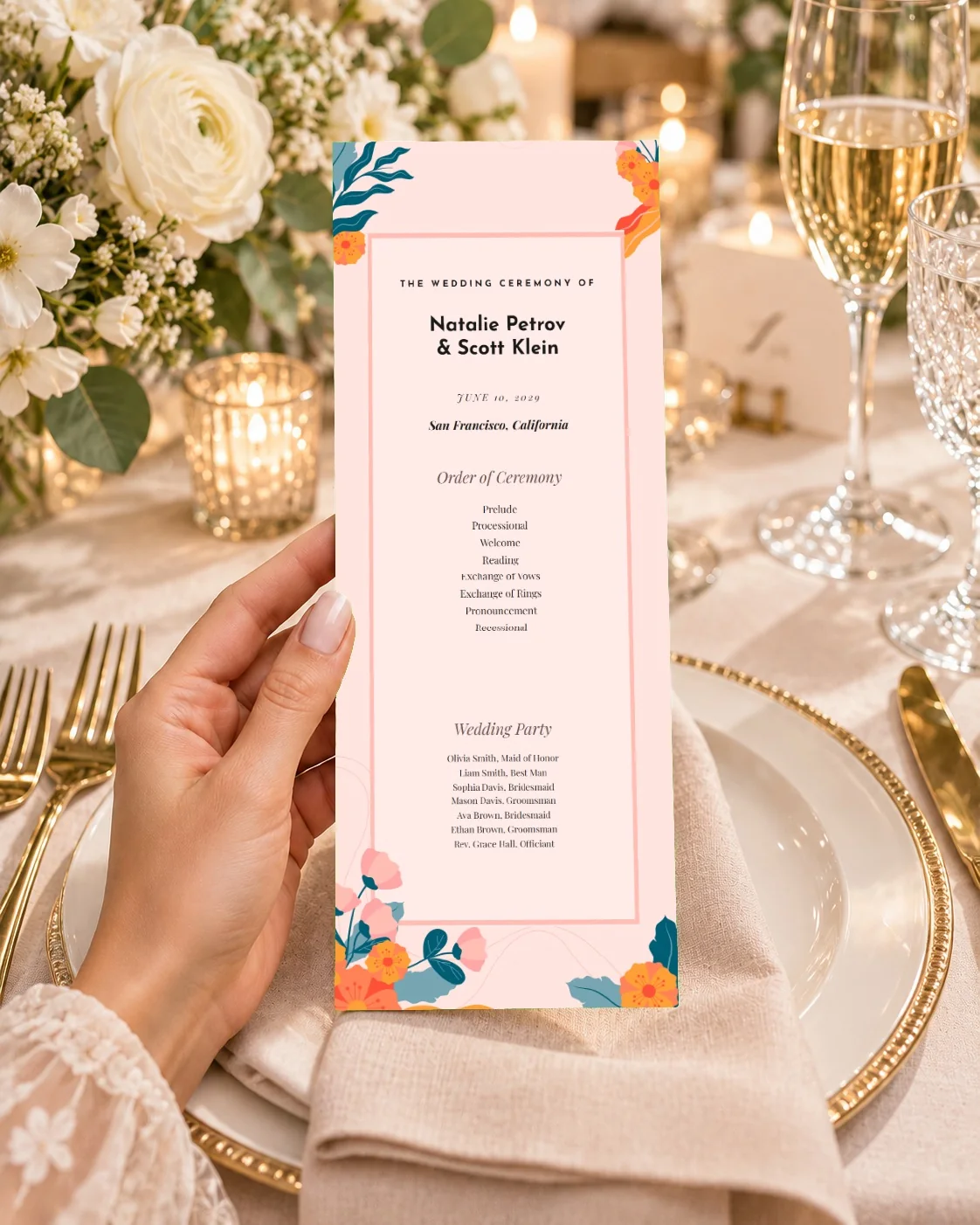
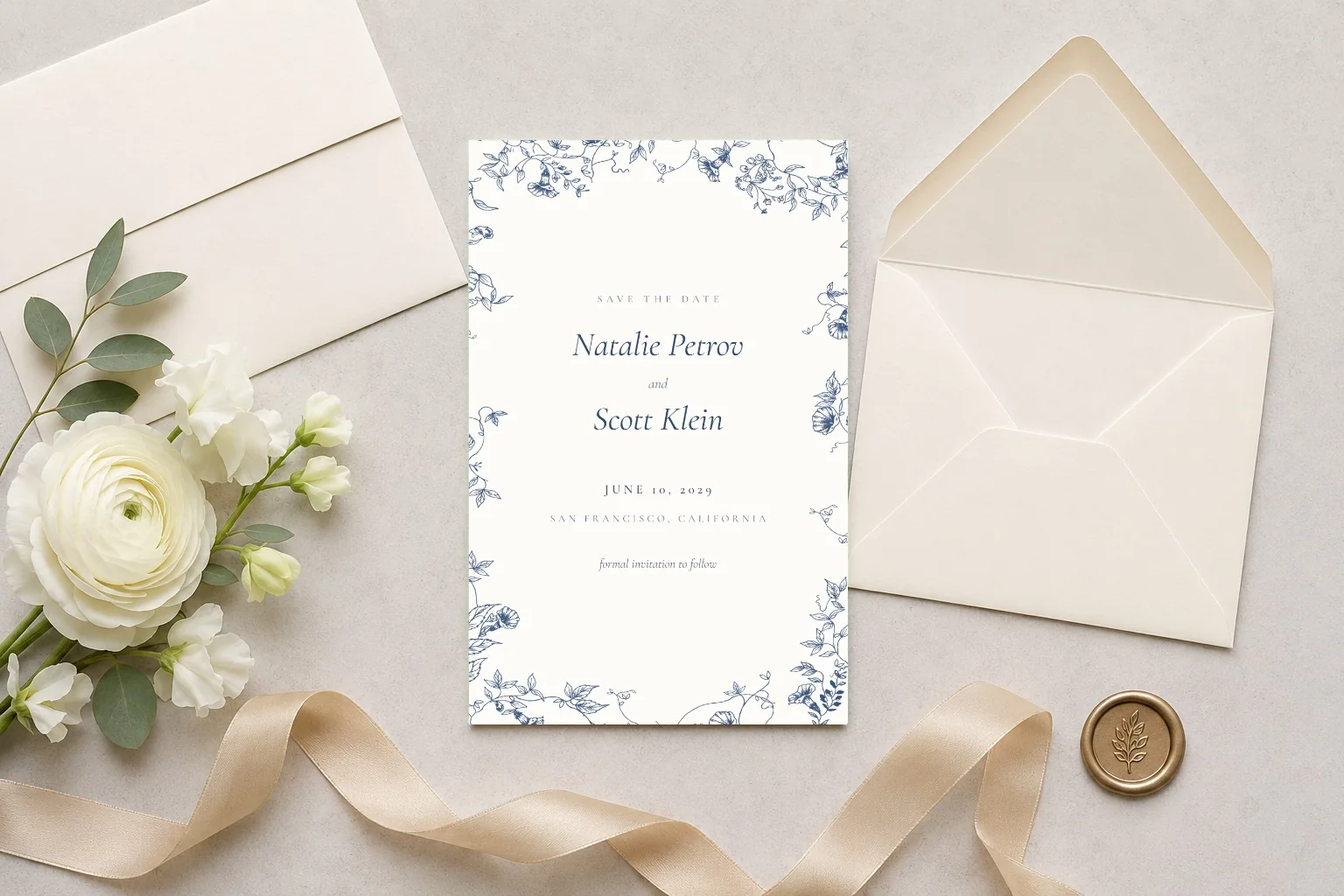
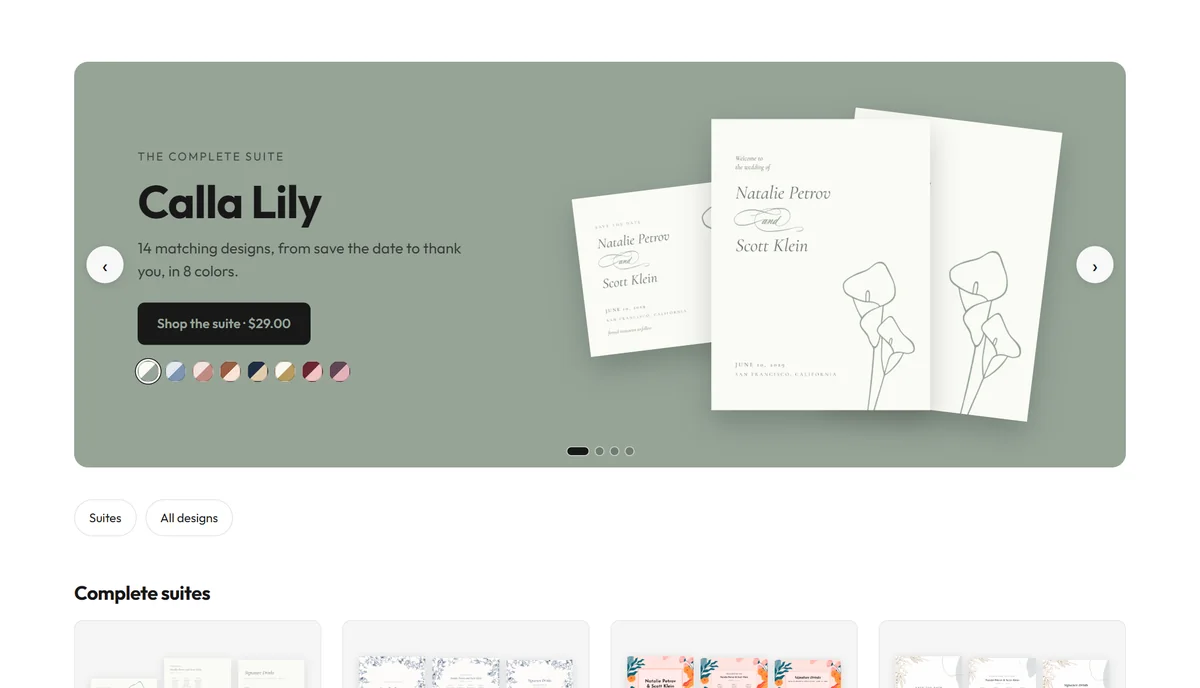
Ceremono has 56 designs across four matching suites, from save the dates and welcome signs to menus, place cards and thank-you cards. Open Print from your event and each design already shows your names, date and venue.
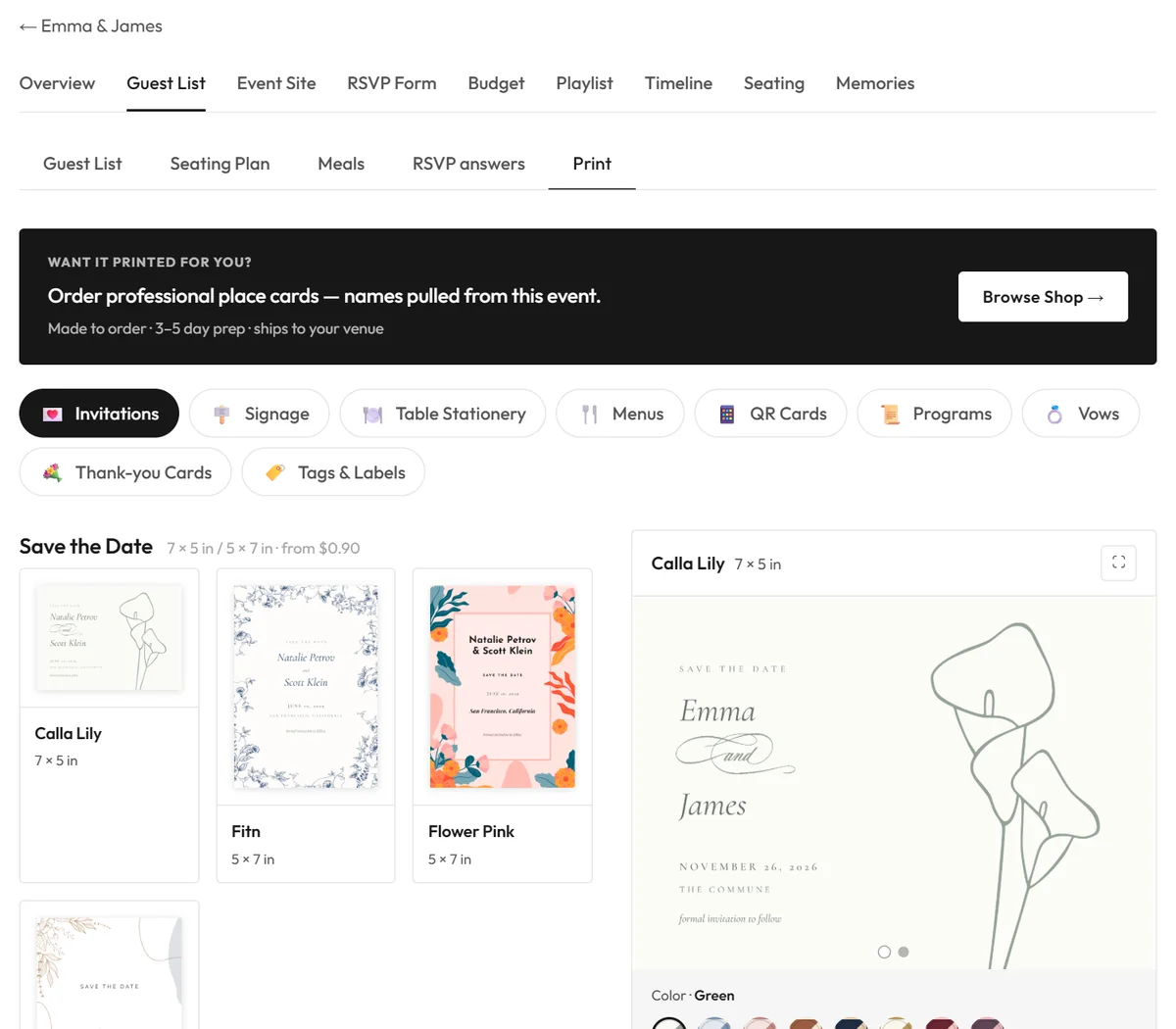
Place cards, table signs and seating charts are built from your real guest list and seating plan. The Photo QR card links straight to your memories page.
If you're timing your stationery, see when to send save the dates and what to include in a wedding program.
Change the text, fonts and colors in the studio, or switch to another colorway. Then download a print-ready PDF, or a PDF you can keep editing in Canva.
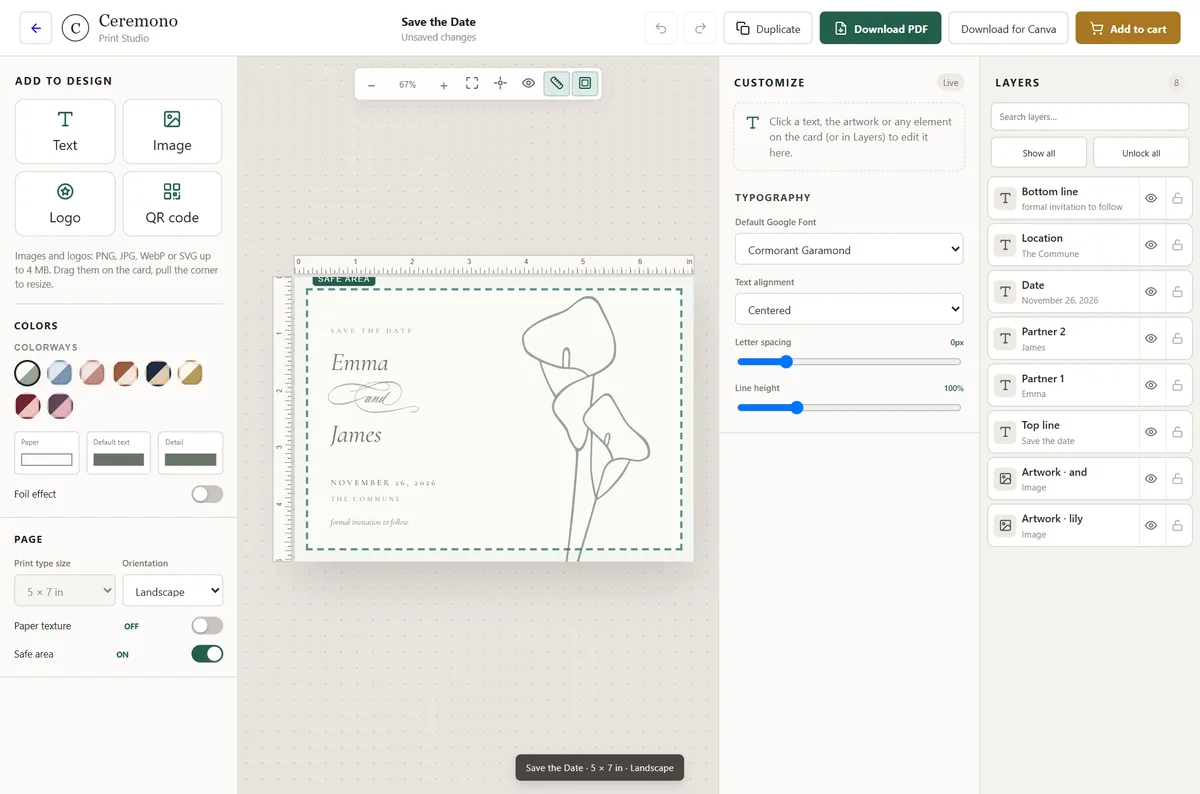
Half of the designs are free. Premium designs are $7.99 each or $29 for a suite, paid once and yours for every event. You can also order printed copies.
Vendors, with no commission
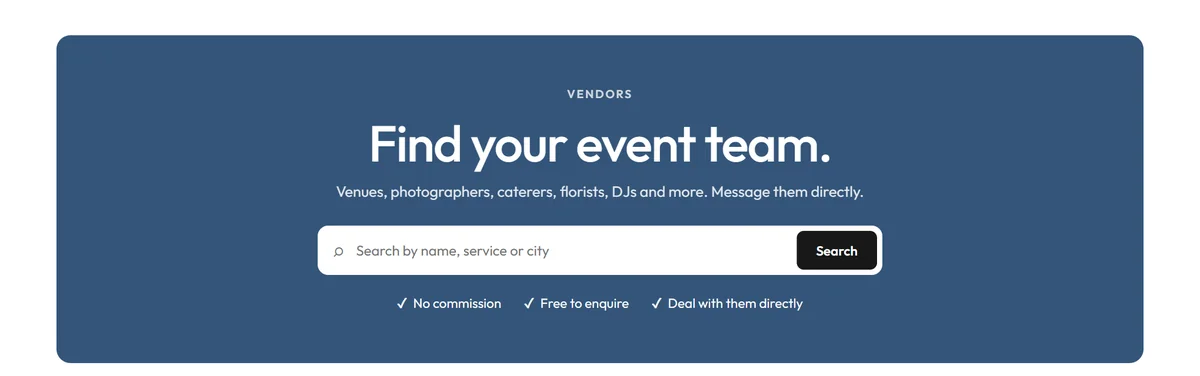
Search venues, photographers, caterers, florists and DJs by category, location, event type, service and price. You can send an enquiry from a vendor's page without logging in, and the vendor replies to you directly. Ceremono takes no commission and never handles the money between you. If you run an events business, vendor listings work the same way.
One place to see where things stand
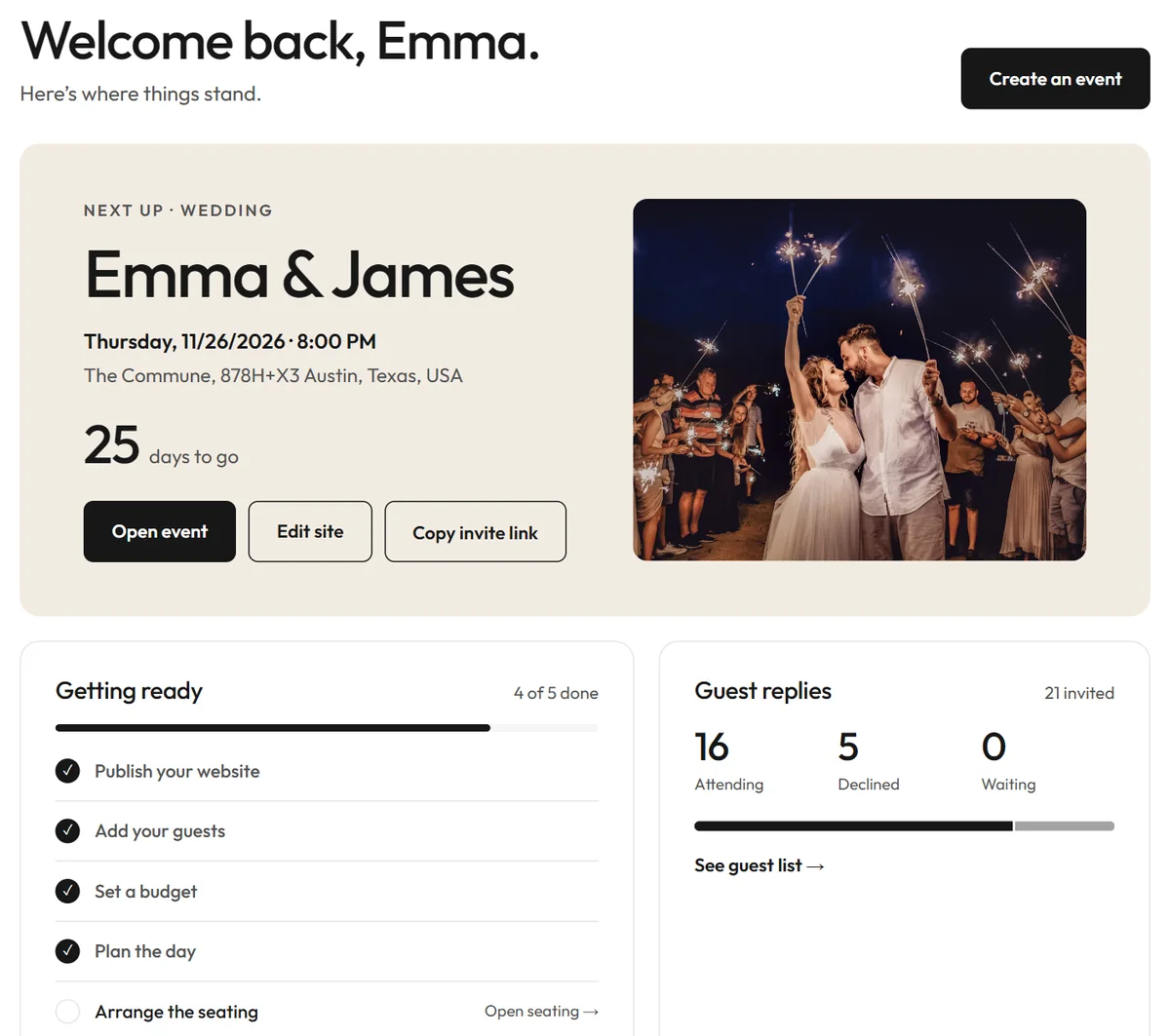
Your dashboard opens on your next event, with the days left, the replies so far and a checklist built from what you've actually done. Each event then has the same tabs for its guest list, site, RSVP form, budget, playlist, timeline, seating and memories.
What's free, and what isn't
For the details, see pricing.
| Feature | Free | Paid option |
|---|---|---|
| Events and guests | Unlimited | None |
| Event website and RSVPs | Included, with “Powered by Ceremono” | Enterprise removes the branding |
| Guest list, seating and meals | Included | None |
| Planning tools | All four | None |
| Memory Vault | 250 MB per account | More storage |
| Print designs | 28 free designs | $7.99 a design or $29 a suite, once |
| Finding vendors | Included | None |
How to get started
- Create a free account and choose Create event.
- Pick the occasion and a design, then add the date and venue.
- Open Event Site, arrange your sections and press Publish.
- Open RSVP Form, turn on what you need and publish it.
- Share your link and watch the replies come in.
Everything else can wait until you need it. Your first event takes one account and no card.
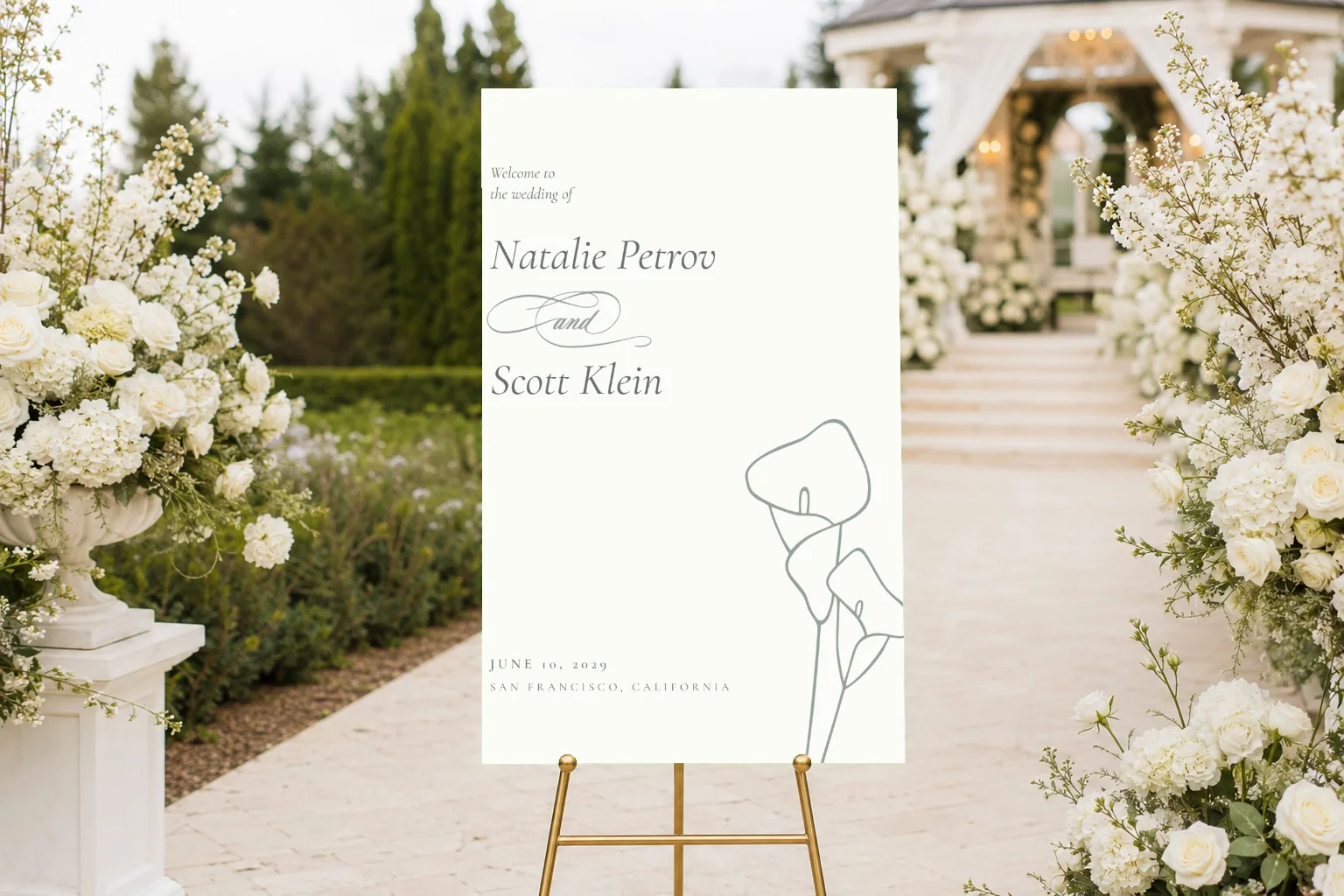
Complete suites to personalize online, from save the dates to signs, menus and thank-you cards.
Browse the shop