How to Plan a Company Christmas Party: A Checklist for HR and Office Managers
A six-week plan for the office holiday party, from the budget to the thank-you note: RSVPs with meals and allergies, a gift exchange that runs itself, seating everyone can find, and a card for the gifts you hand out.
If you work in HR or run the office, the company Christmas party (or the office holiday party, as many teams call it) probably isn't in your job description, and it lands on your desk anyway. Somewhere between year-end reviews and benefits enrollment you're picking a venue, chasing RSVPs through email threads, keeping a spreadsheet of who's vegetarian, and drawing Secret Santa names out of a mug.
It doesn't have to be that way. Below is the plan we'd follow if we were throwing your party: six weeks, week by week, with what to decide, what to send and what to keep track of. At each step we'll show how to do it in Ceremono, where the party website, the RSVPs, the guest list, the seating and the photos from the night live in one place, free.
The six-week plan at a glance
- 6 weeks out: date, budget, venue, guest list.
- 5 weeks out: pick one look, build the party website, send the invitation.
- 4 weeks out: collect RSVPs, meals and allergies; open the gift exchange.
- 3 weeks out: company gifts and the cards that go with them.
- 2 weeks out: seating, catering numbers, place cards.
- 1 week out: the run of show, music, games and signs.
- The night and after: photos on the big screen, then a thank-you.
Here is the whole corporate holiday party checklist in ten steps. Tick them off as you go (your ticks stay in this browser), or download the printable PDF for the planning meeting; no account needed.
- Set the date and the event budget
- Book the venue and the catering
- Choose the invitation and the event website
- Send the invitations and collect RSVPs
- Confirm dietary requirements and plus-ones
- Prepare Secret Santa and the company gifts
- Finalize the seating and the place cards
- Prepare the music, the timeline and the activities
- Set up QR photo sharing and the live screen
- Send thank-you notes after the event
Free company event planning
Skip the spreadsheets. Start your party website.
Your guest list, RSVPs, seating and photo sharing, together in one free event workspace.
Create your free company event No credit card required.Planning at the last minute? A two-week plan
If the party is two weeks away and nothing is booked yet, it can still come together. Squeeze the six weeks into these steps:
- Days 1–2: fix the date and a budget per person, and book a venue that still has the night free (a restaurant's private room or your own office is often easiest this late). Ask what they need by when.
- Days 2–3: make the party website and send the link the same day, with an RSVP deadline about a week out.
- Day 7: remind everyone who hasn't answered; close the RSVPs on day 9.
- Days 9–10: send the final count and the meals to the caterer; seat people if you seat them.
- Days 11–13: print the place cards, signs and games; brief whoever runs the music.
- Day 14: put a QR card on every table and enjoy the night.
Keep the gift exchange optional this late, or swap it for a raffle the company pays for: nobody has to shop in a hurry.
Six weeks out: date, budget and who's invited
December fills up fast, for venues and for people's calendars. Lock the date first, then everything else follows from it.
- The date. A Thursday or Friday in the first two weeks of December works for most teams. Check it against travel, quarter-end and any big deadlines.
- The budget. Split it before you spend it: venue, catering, bar, DJ or entertainment, decorations, awards and raffle prizes, invitations, photography. Ceremono's free budget planner starts a company party with exactly these lines, so you only fill in numbers.
- Who's invited. Everyone, or one office? Partners and plus-ones, or staff only? Remote employees who'd fly in, or a separate virtual toast? Decide now; it drives the venue size and the cost per head.
- The venue. Book it with a headcount range rather than a number, and ask when they need the final count and the meal choices.
Five weeks out: one look, one website, one invitation
Pick a single design and use it for everything: the invitation, the party website, the signs and the cards. It's the easiest way to make an office party feel like an event rather than a calendar invite.
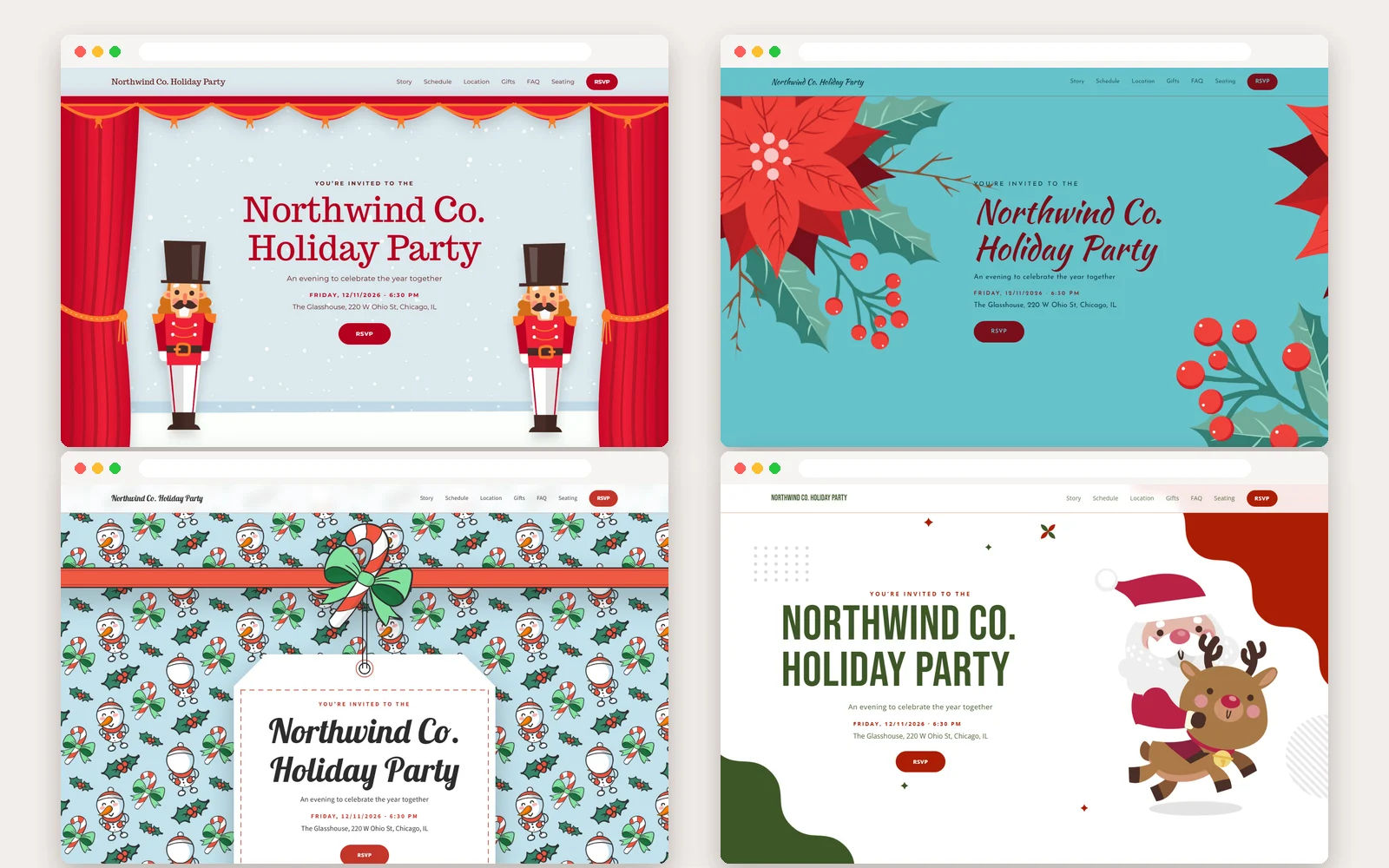
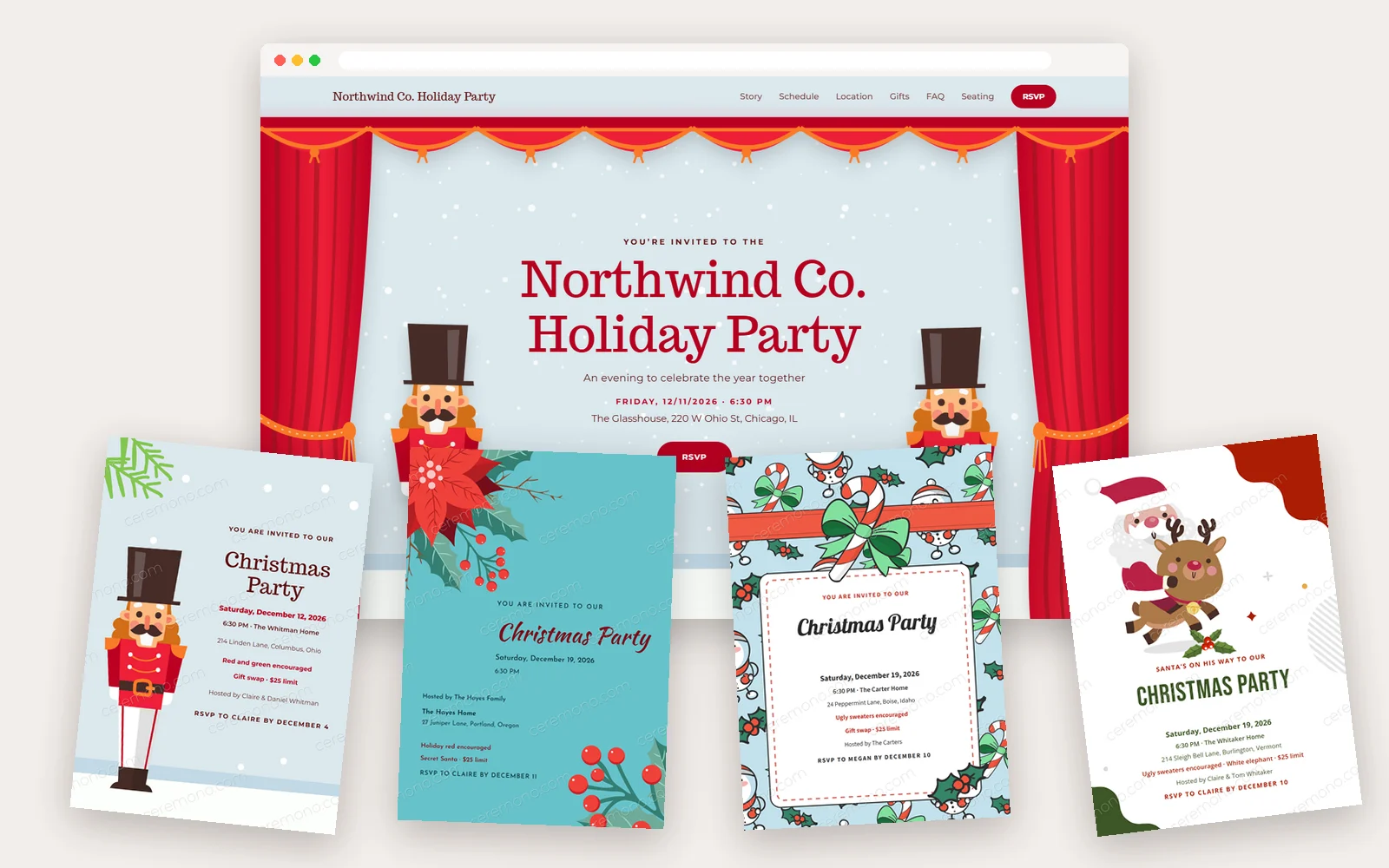
In Ceremono you choose a Christmas design, type the party's name, date and place, and you have a party website with its own link, in the same design as the invitation. You can try it with your own details before you even sign up. The website holds everything people usually email you about: the schedule, the address and a map, parking, the dress code, the gift exchange rules, and a short FAQ.
Then send the invitation. Post the website's link in Slack or Teams, put it in the all-hands email, or print the invitation for the break room. If you'd like wording to start from:
You're invited to the Northwind Co. Holiday Party. Join us on Friday, December 11 at 6:30 PM at The Glasshouse for dinner, a few well-earned thank-yous, a gift exchange and dancing. Please RSVP by December 1 so we can save you a seat and a meal.
Four weeks out: RSVPs, meals and allergies
This is where most of the email threads come from, so collect everything in one form, once.
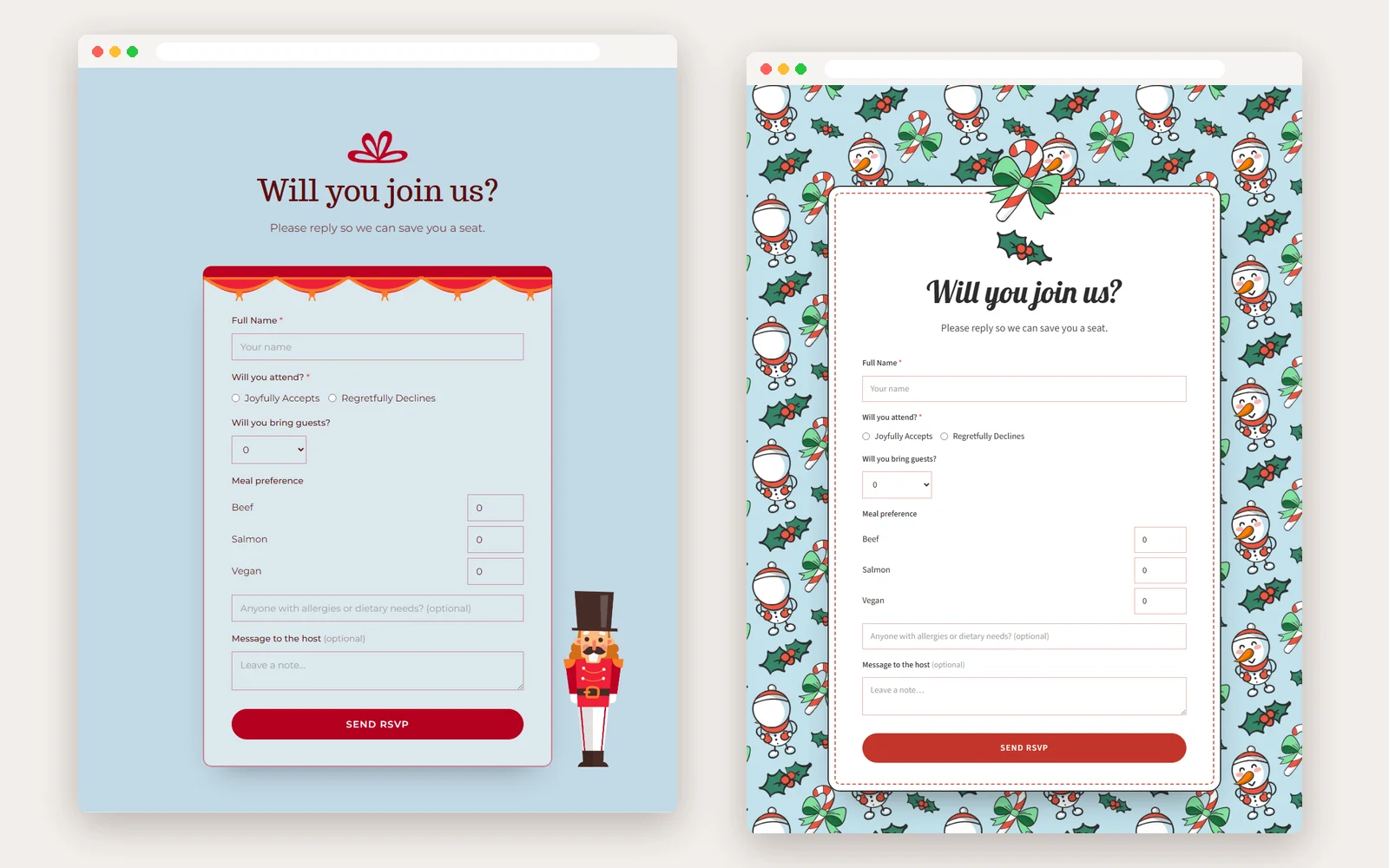
- Attending or not, and whether they bring a plus-one.
- Meal choice and allergies, so the caterer gets real numbers instead of a guess.
- Joining the gift exchange? A company party in Ceremono asks this on its own.
- A song for the dance floor, if you like (more on that below).
Replies land in one guest list instead of your inbox. If you already have the employee list in a spreadsheet, import it, and you can keep the RSVP open only to the names on that list, or behind a password, so the link can't travel further than you meant it to. Send a reminder a week before the deadline to whoever hasn't answered.
Meal choices and allergies are personal details, so it matters who sees them: the answers are visible only to you and the colleagues you add to your workspace, the event website isn't listed by search engines, and nothing is shared with anyone else. Our privacy policy has the details.
Three weeks out: the gift exchange, and a card for every gift
Secret Santa without the mug
Set a price limit everyone can live with (a $25 cap is common), a date to bring gifts, and one rule for what happens on the night: a straight swap, or a white elephant where gifts can be stolen. Put the rules on the website's gifts section, so nobody has to ask. Everyone who said "count me in" on the RSVP is your list.
Giving company gifts? Add a card.
If the company hands out gifts this year, a box of treats, a bottle, a branded hoodie, it lands better with a card that says thank you. A card in the same design as the party ties the two together, and it's a small thing people keep.
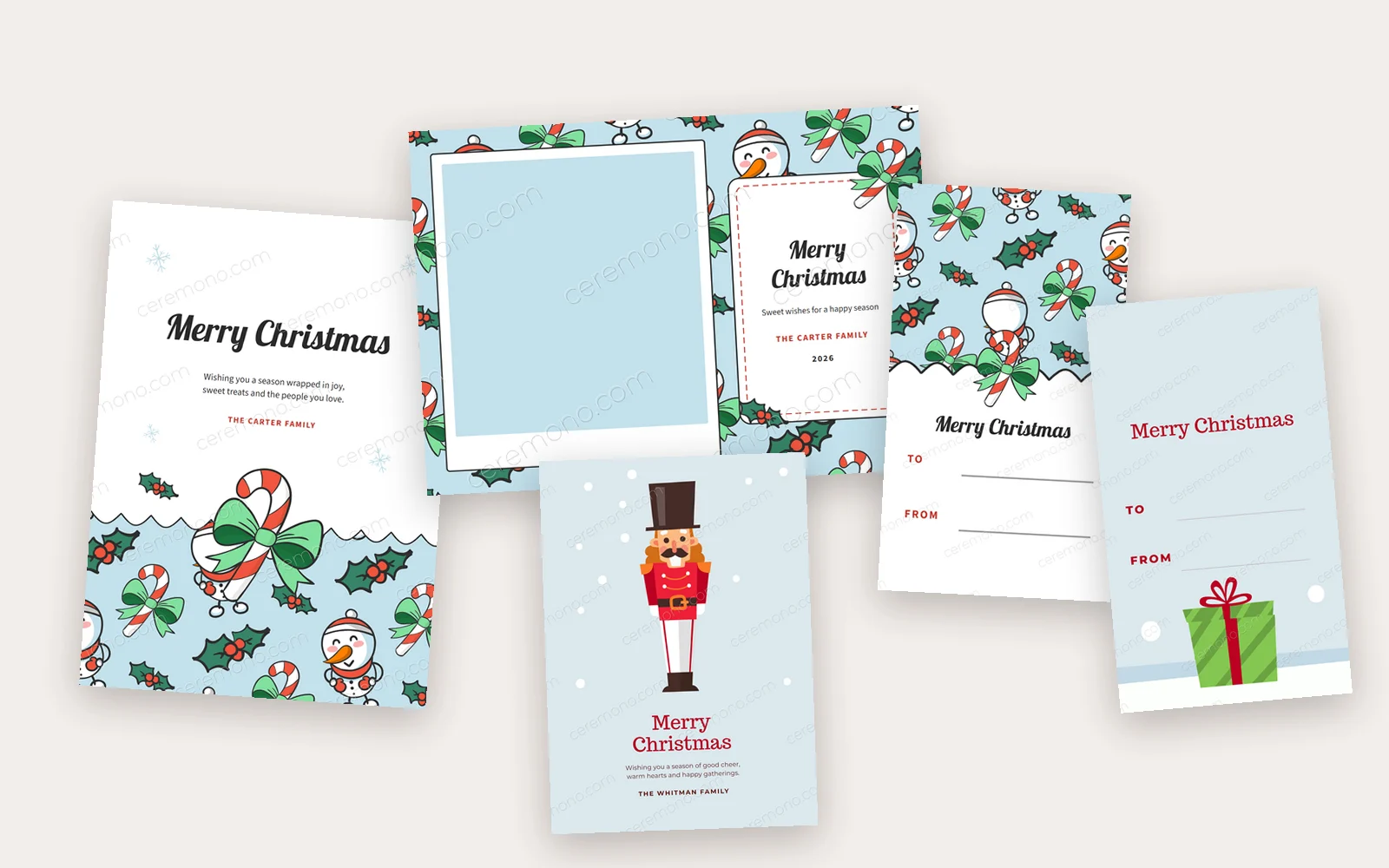
- A Christmas card (5×7) with a line from leadership, or a different message per team.
- A photo Christmas card with this year's team photo in it: the one that ends up on people's fridges.
- Gift tags with To and From lines, to tie onto every gift.
Each of our Christmas designs comes as a set: the invitation, the Christmas card, the photo card, gift tags, Secret Santa cards, games and signs, all in one look and in six colors. Buy a single design or the whole set, change the words in the editor (or download it for Canva if your team lives there), and download it instantly. Print it on the office printer or at a local print shop; printed and shipped copies are coming soon.
Two weeks out: seating and the caterer's numbers
Send the final count to the venue and the caterer. If you seat people, do it now, while there's still time to move the marketing team away from the speakers.
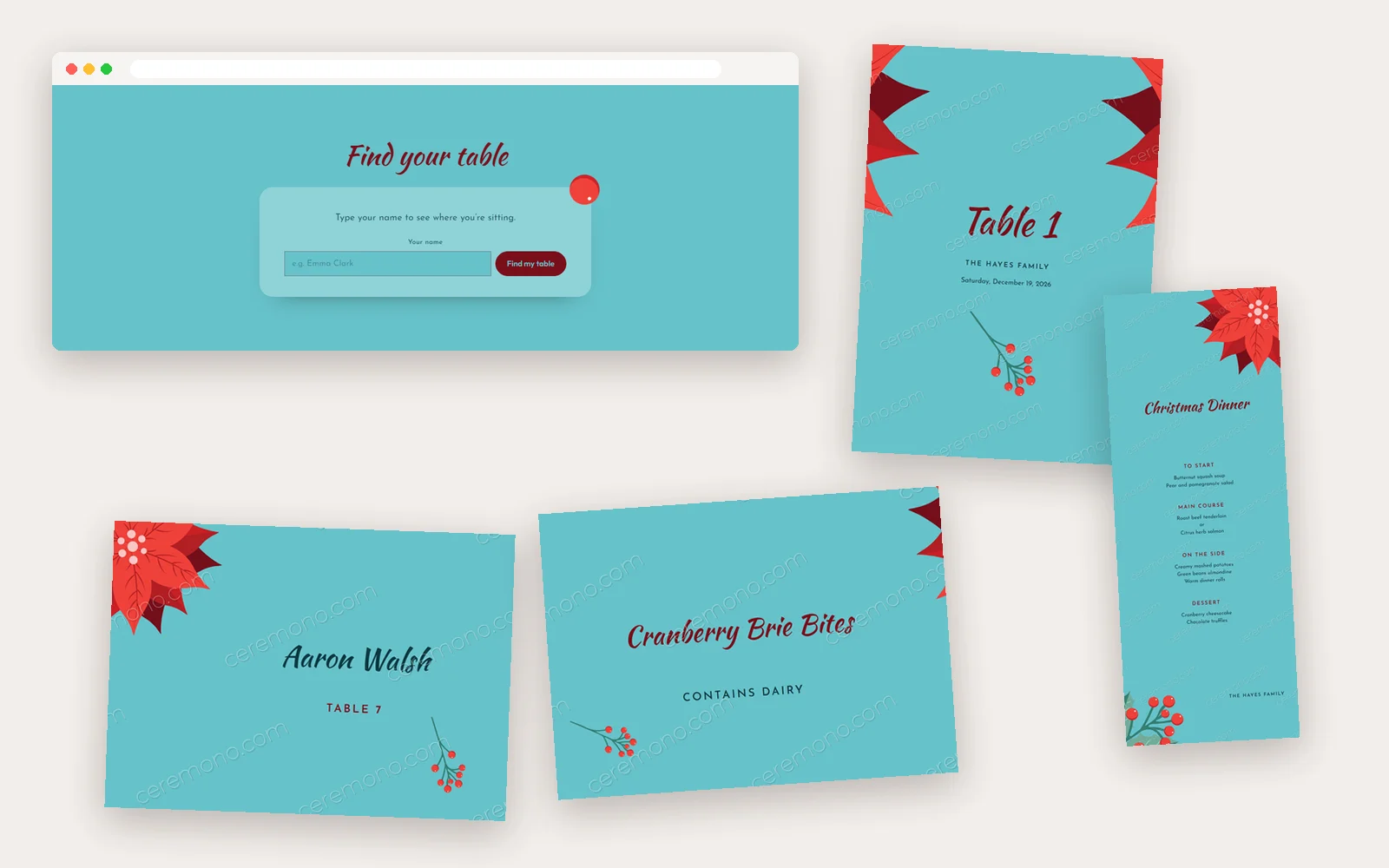
- Seat by team, or mix teams on purpose. Drag people onto tables in the seating planner.
- Let people find their own table. The party website gets a "Find your table" box: an employee types their name and sees their table, so nobody crowds around one printed chart at the door.
- Give the caterer meals by table. The seating planner turns the RSVPs into a PDF for the kitchen, with every table's meals and allergies and the totals.
- Print the place cards and table numbers. Place cards fill in from the guest list, one per person; table numbers come from your tables.
One week out: the run of show, music and games
Write the evening down as a timeline and send it to everyone helping: the venue, the DJ, whoever is giving a speech. A company party in Ceremono's free timeline planner starts with a schedule you can adjust:
- 5:00 PM: set up and decorate
- 6:00 PM: arrivals and welcome drinks
- 7:00 PM: a short welcome
- 7:15 PM: dinner
- 8:30 PM: awards and thank-yous
- 9:00 PM: raffle or white elephant
- 9:30 PM: DJ and dancing
Music. Ask for songs in the RSVP and they collect in the playlist planner, where you can match them to Spotify and pass the list to the DJ. On the night, guests can request more from their phones, and the DJ sees the requests, with the most-wanted at the top.
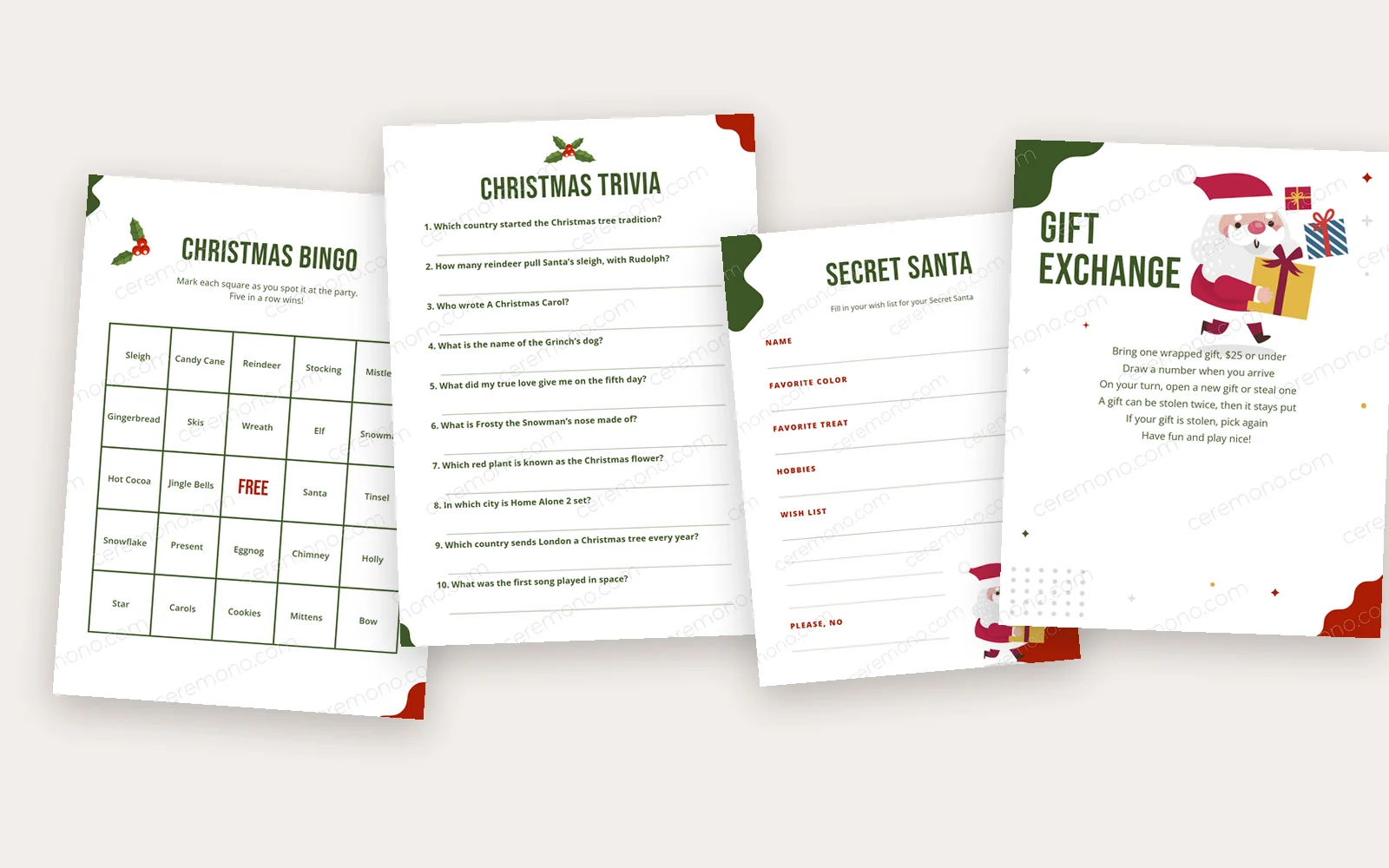
Games and signs. The employee Christmas party ideas that work best are the simple ones: Christmas bingo and trivia give tables something to do between courses, and they're the easiest icebreaker for people who don't work together. Add a welcome sign at the door, a sign for the gift exchange table, a bar sign with the signature drinks, and labels for the food so nobody has to ask what's in it.
On the night: let everyone see the party
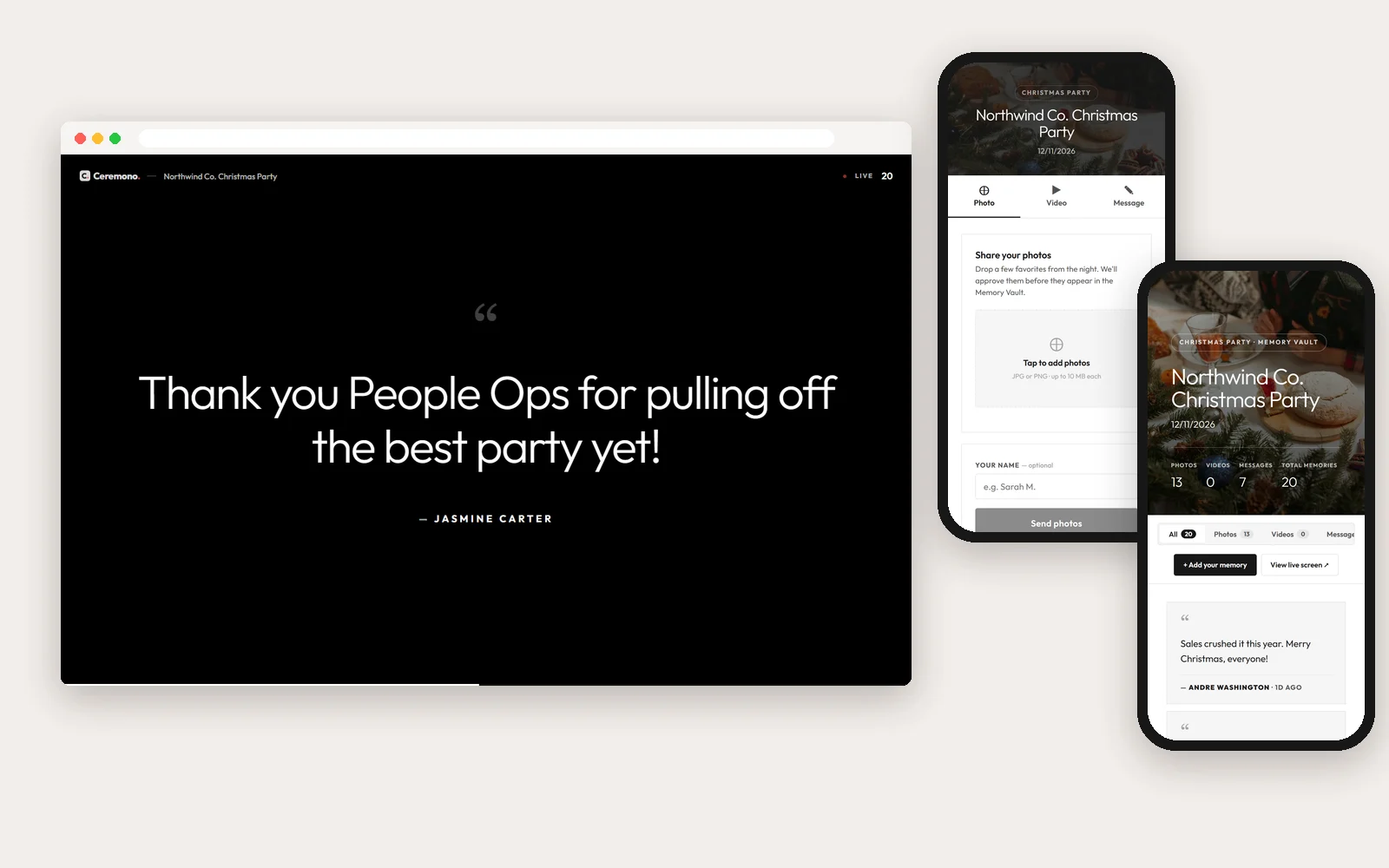
Put a QR code on every table. Guests scan it and send photos, short videos and messages from their phones, and the live screen on the venue's TV or projector shows them as they arrive. You choose whether to approve each one first. After the party, everything stays in the event's memory vault, so the people who missed it can see what they missed, and you have the pictures for next year's invitation.
After the party: thank you, and notes for next year
- Say thank you to the people who made it happen: a thank-you card in the same design, or a message with a link to the photos.
- Close the budget while the receipts are fresh, and note what you'd change.
- Keep the event. Next year, start from this one instead of from a blank page.
Running events all year?
If the end-of-year company celebration is one of many, the kickoff, the summer party, work anniversaries, a retirement, Ceremono's Teams plan keeps them in one company account: your logo on every event's website, your own address (events.yourcompany.com), colleagues who help run the events, and room for every photo. See how a company event comes together, step by step.
Company Christmas party FAQ
When should we send the company Christmas party invitation?
Four to six weeks before the party. December calendars fill early, and the venue will want a final headcount about two weeks out, so ask for RSVPs by then.
How do we handle dietary needs and allergies?
Ask on the RSVP, not by email: a meal choice for everyone and a free-text field for allergies. Then hand the caterer a list by table, so the right plate reaches the right seat.
Should plus-ones be invited?
It's a budget question more than a rule. If the venue and the budget allow it, plus-ones make it feel like a celebration rather than a work event; either way, say it clearly on the invitation and ask on the RSVP.
How do we run Secret Santa with remote employees?
Set the price cap and the date, collect who's in on the RSVP, and ask remote colleagues for a shipping address or have them order online to the recipient. Open the gifts together on a video call during the party.
Is Ceremono free for a company party?
Yes. The party website, RSVPs, the guest list, seating with "Find your table", the planning tools and the live photo screen are free. Designs to print and the Teams plan are the paid parts.
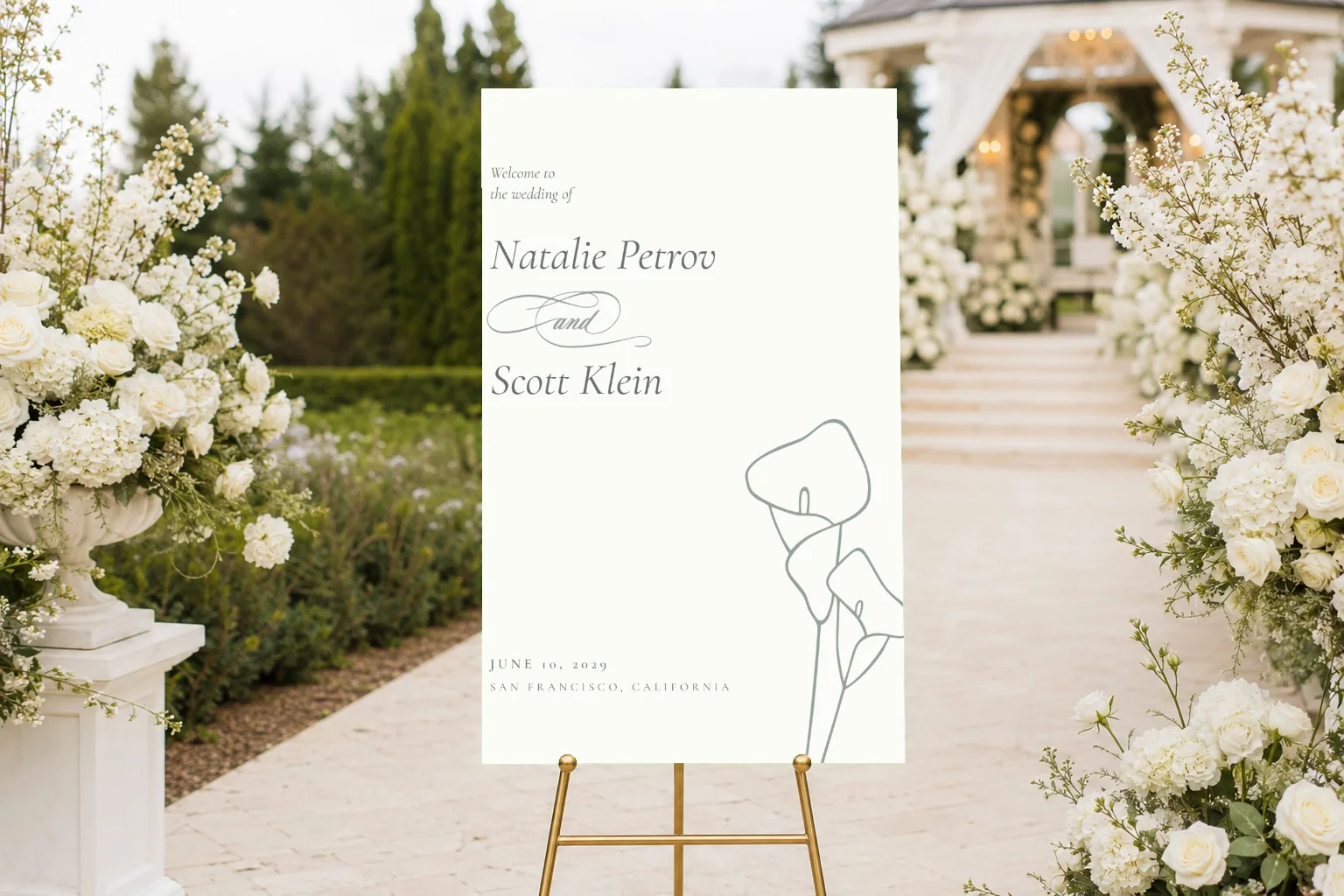
Complete suites to personalize online, from save the dates to signs, menus and thank-you cards.
Browse the shop